- iOS, Android & web
- Voice & AI
ProAI Training, rehearsal for the conversations you cannot redo
- Role
Solo developer — product and build
- Platforms
iOS, Android and web
- Models
OpenAI, Gemini and Claude
- Voice
ElevenLabs
Overview
Most workplace training is watched, not practised. You read about handling an objection, nod, and then freeze the first time a real buyer pushes back. ProAI Training closes that gap by letting you say the words out loud before they matter, to someone who argues back.
You pick the skills you want — negotiation, presenting to executives, giving feedback — and the app builds a path. Each lesson teaches one named technique and checks you understood it. Then you talk: a spoken roleplay against an AI character with a job title and an attitude, who does not simply agree with you.
- Pick the skills you want to work on; the app builds the path
- Short lessons that teach one named technique, then check it
- Spoken roleplay against an AI character with a role and an attitude
- A coach that nudges you mid-conversation, not just at the end
- Every session scored on clarity, empathy, structure and persuasion
- One account across iOS, Android and the web — practise wherever you are
- A daily minutes goal and a streak, so the habit has something to hold onto
- Progress tracked per skill, with certificates when a path is finished
Approach
The hard problem is not generating a reply. It is making the other side feel real enough to be worth rehearsing against. A character needs a position, a reason to hold it, and the stubbornness to keep holding it after one good answer — so each persona carries a role, an employer and a disposition, and the scenario gives them something concrete to defend. Dana Whitfield is a CFO, she is skeptical, and she lost two contracts last year to late shipments. That detail is what the learner has to find and use.
The second problem is feedback that is worth reading. A score alone teaches nothing, so a session ends with one thing that worked and one thing to try next time, both quoting what was actually said. Four sub-scores — clarity, empathy, structure, persuasion — exist so the number can move for a reason you can name, and so a learner who is persuasive but disorganised sees which half to work on.
Progression is deliberately narrow. A path runs twelve lessons in a fixed order and locks the next until the current one is scored, which removes the browsing that kills most self-paced learning. The home screen takes the same line: one session queued with its length and who you will be talking to, a minutes-today goal and a streak — enough to start without choosing anything.
Voice is the default input because the skill being trained is spoken. Typing lets you compose and edit; speaking does not, and that is the point. The character’s replies are spoken back through ElevenLabs, because a flat synthetic voice undercuts the whole exercise — you cannot rehearse reading a difficult room if the room has no tone. A keyboard toggle stays available for a quiet office, and the coach prompt appears mid-conversation rather than only at the end, because that is when it can still change the outcome.
There is no single model behind it. OpenAI, Gemini and Claude each handle different parts of the job, chosen on what that part actually needs rather than on loyalty to one provider — holding a character in a live conversation, marking a transcript against four criteria and writing back something specific, and generating lesson content are not the same problem, and they do not reward the same model. Keeping the boundaries explicit also means any one of them can be swapped when a better option ships, which on a six-month view is close to certain.
It runs on iOS, Android and the web from one account, so a session started on a commute can be finished at a desk. That pushed the scoring and session history server-side from the start rather than leaving them on the device.
Inside the app
Eight screens, in the order a new user meets them — onboarding, a lesson, the roleplay itself, and what you get back afterwards.
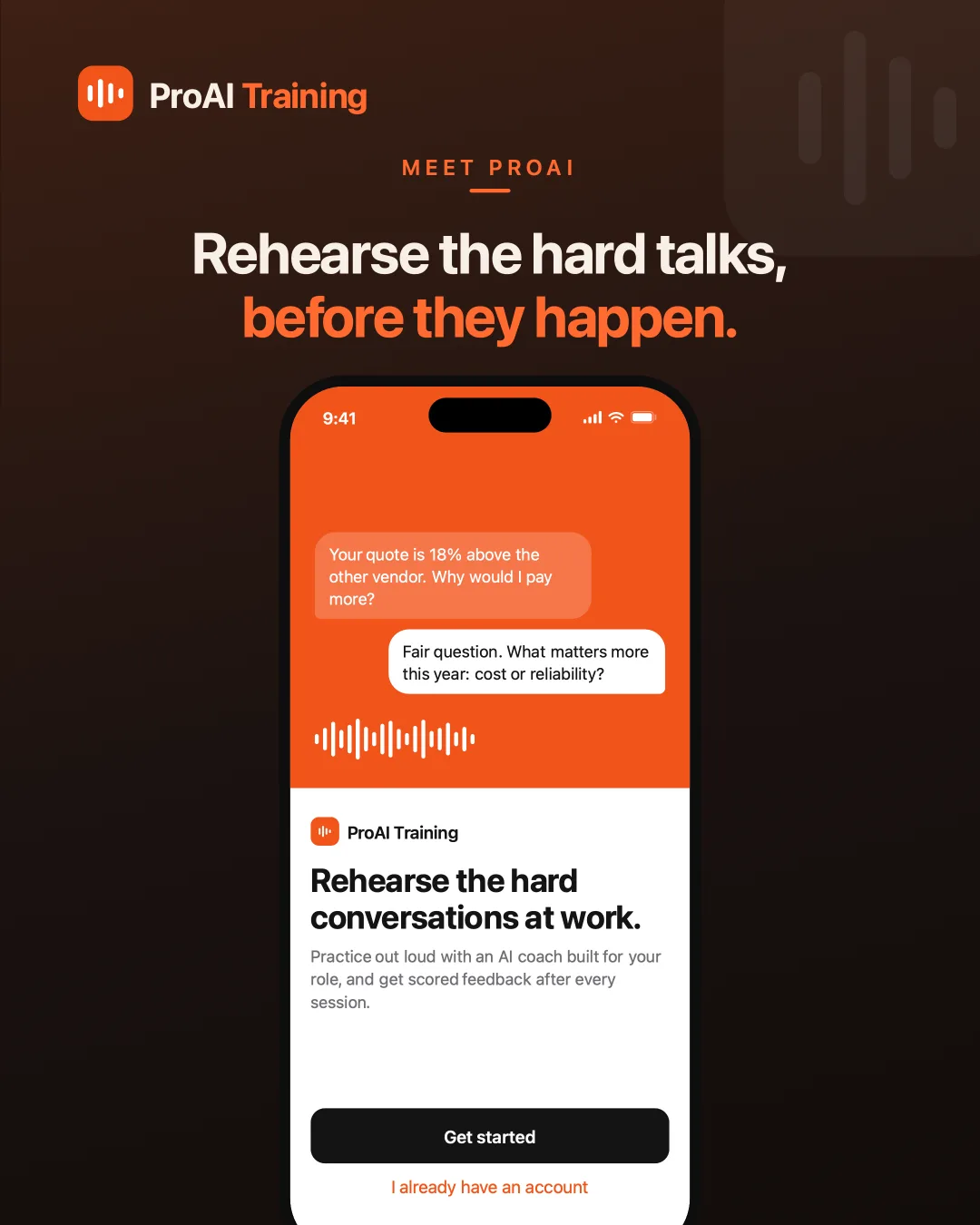
WelcomeThe pitch in one line: rehearse the hard conversations at work. 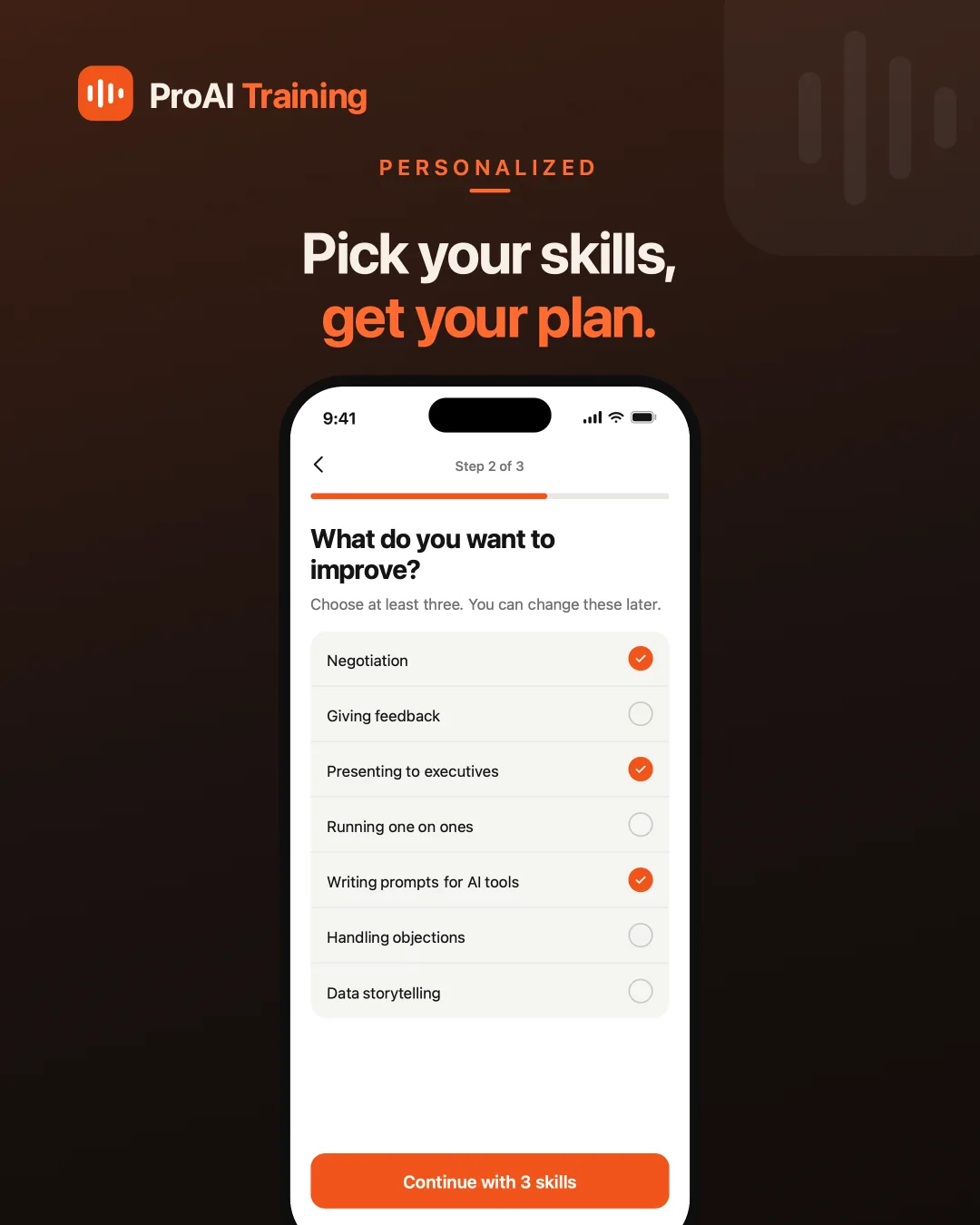
Choose skillsPick at least three — negotiation, presenting to executives, giving feedback. 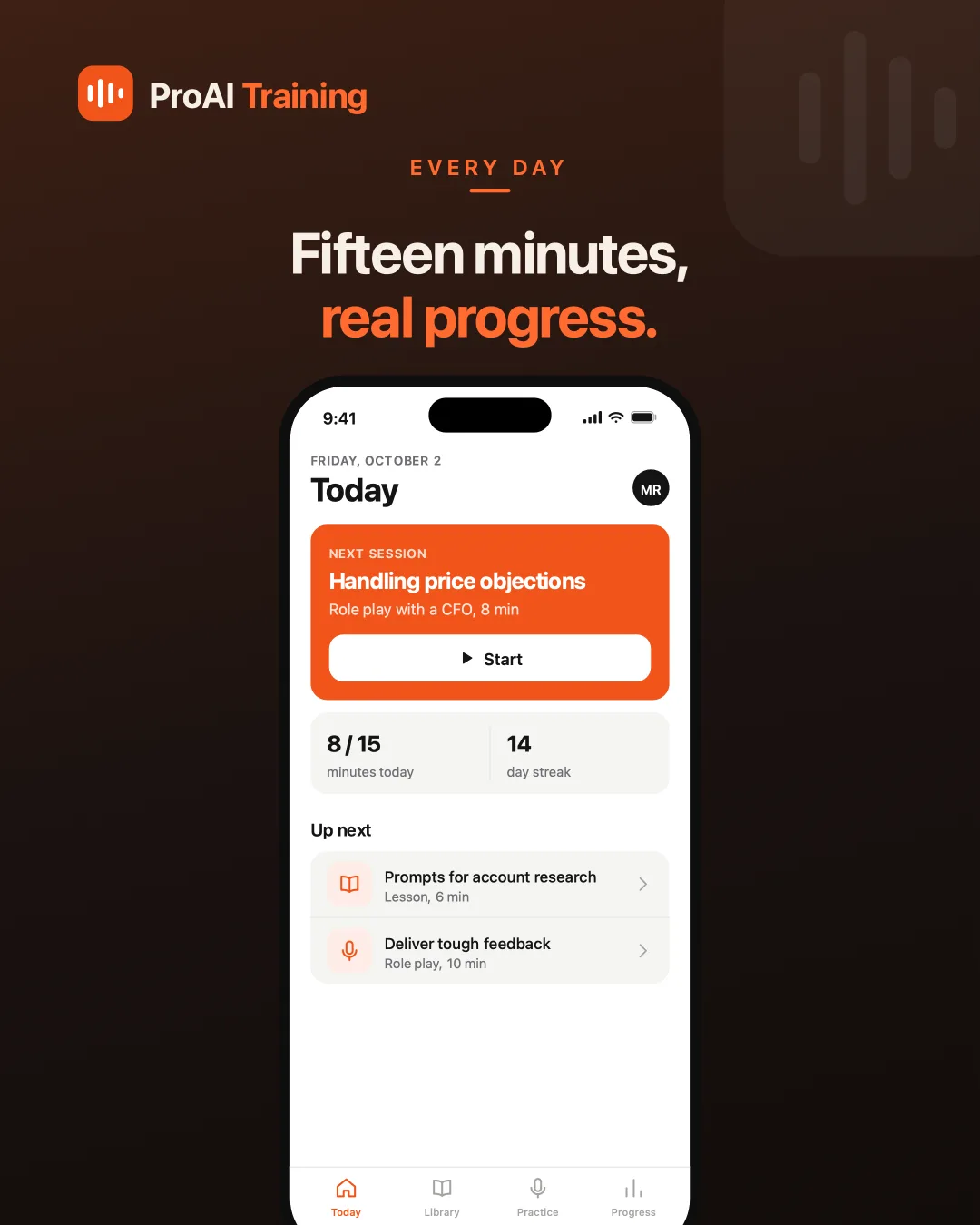
TodayOne session queued up, a daily minutes goal and a streak — so starting needs no decision. 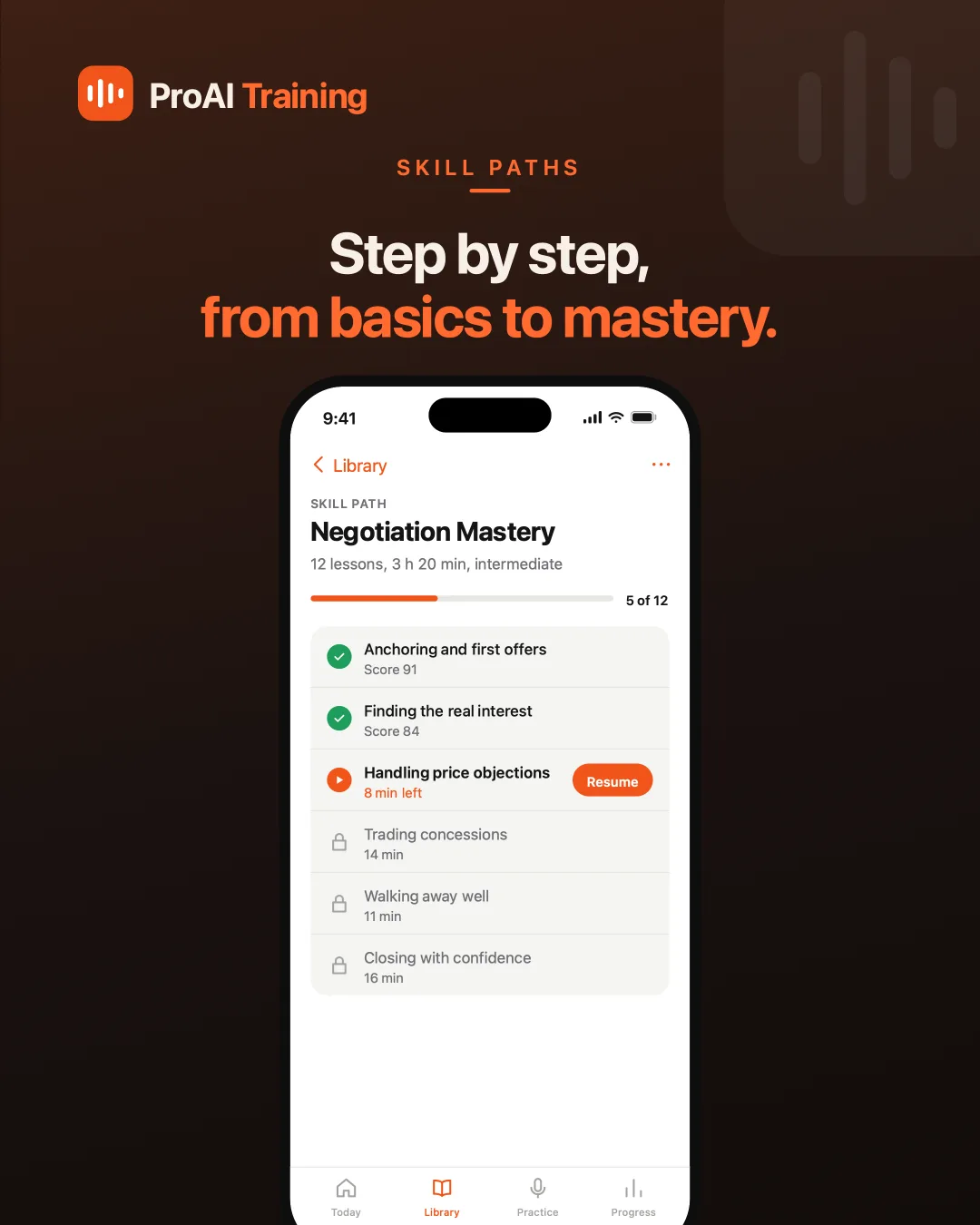
Skill pathTwelve lessons in order, each scored, the next one locked until the last is done. 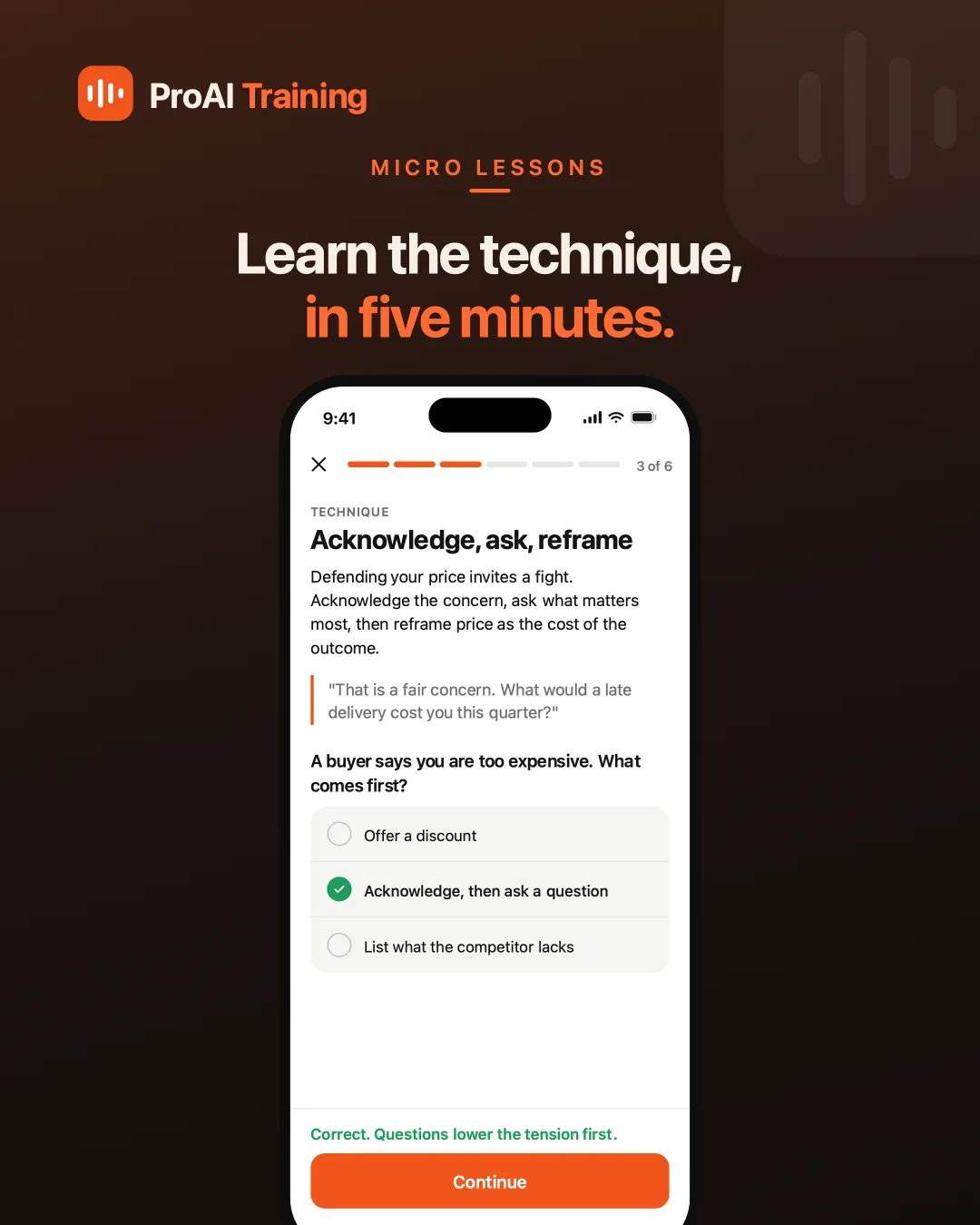
LessonOne named technique, an example line, then a question that checks it landed. 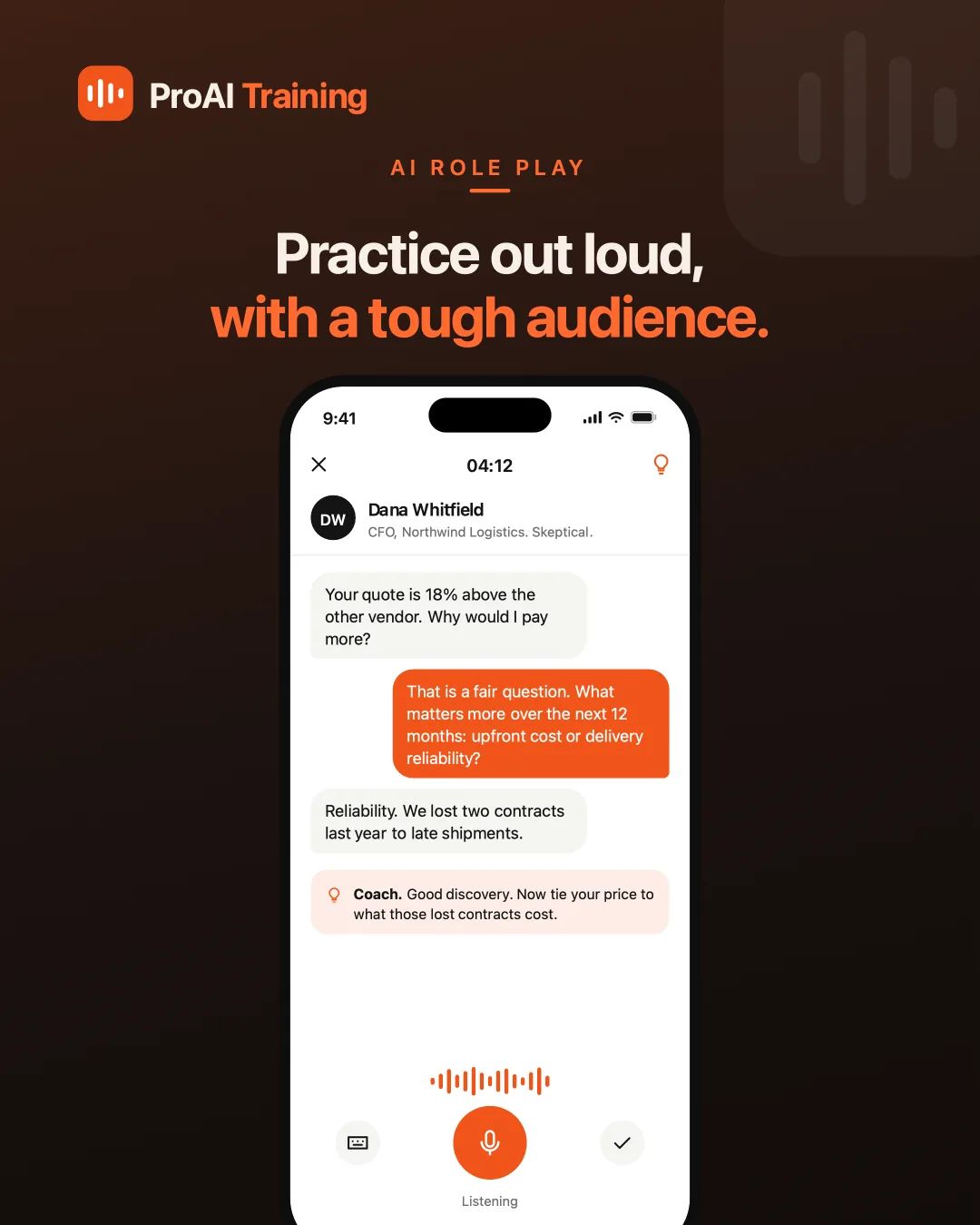
RoleplaySpeak to a character with a job and a mood. The coach nudges you mid-conversation. 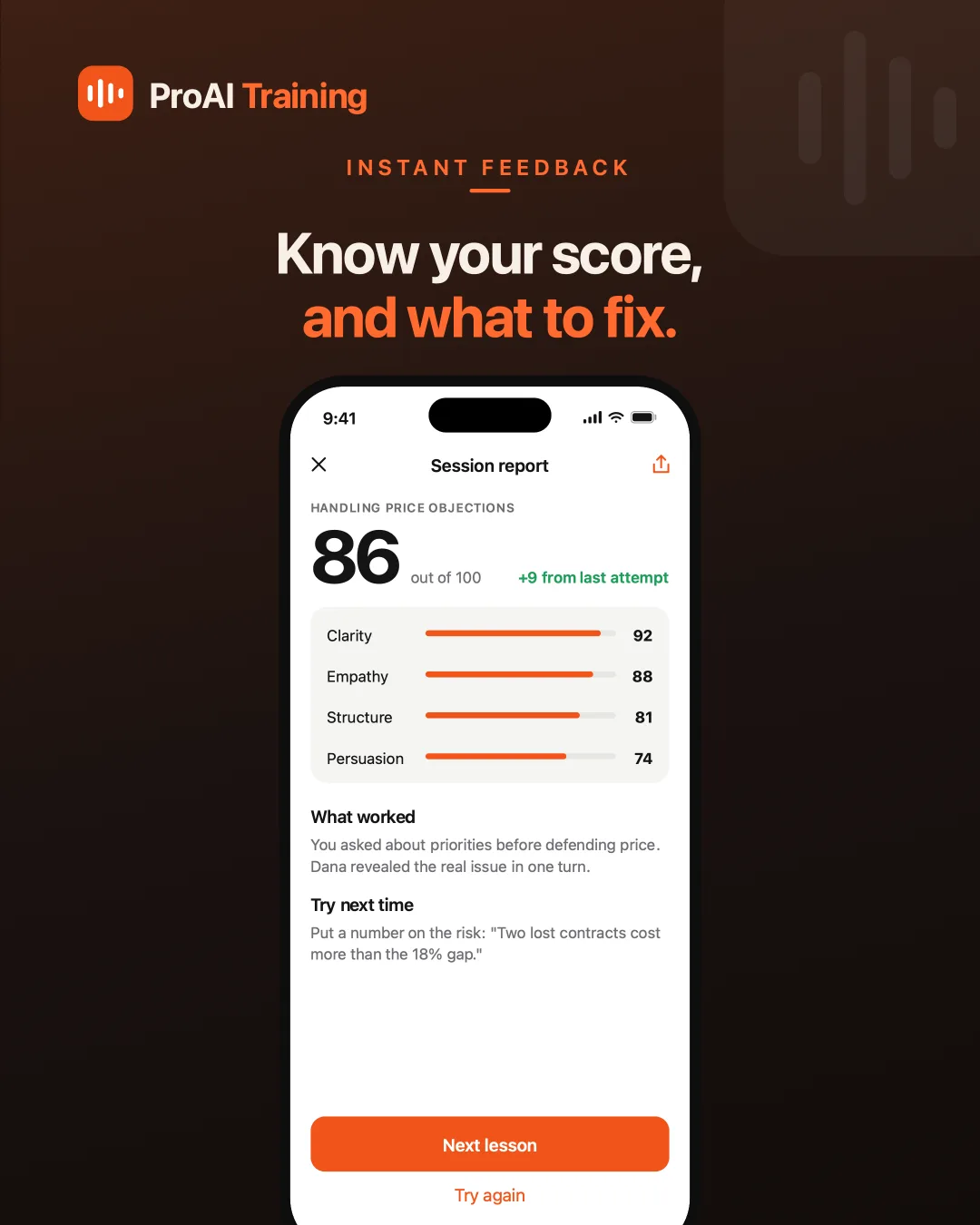
Session reportA score out of 100, four sub-scores, and one specific thing to try next time. 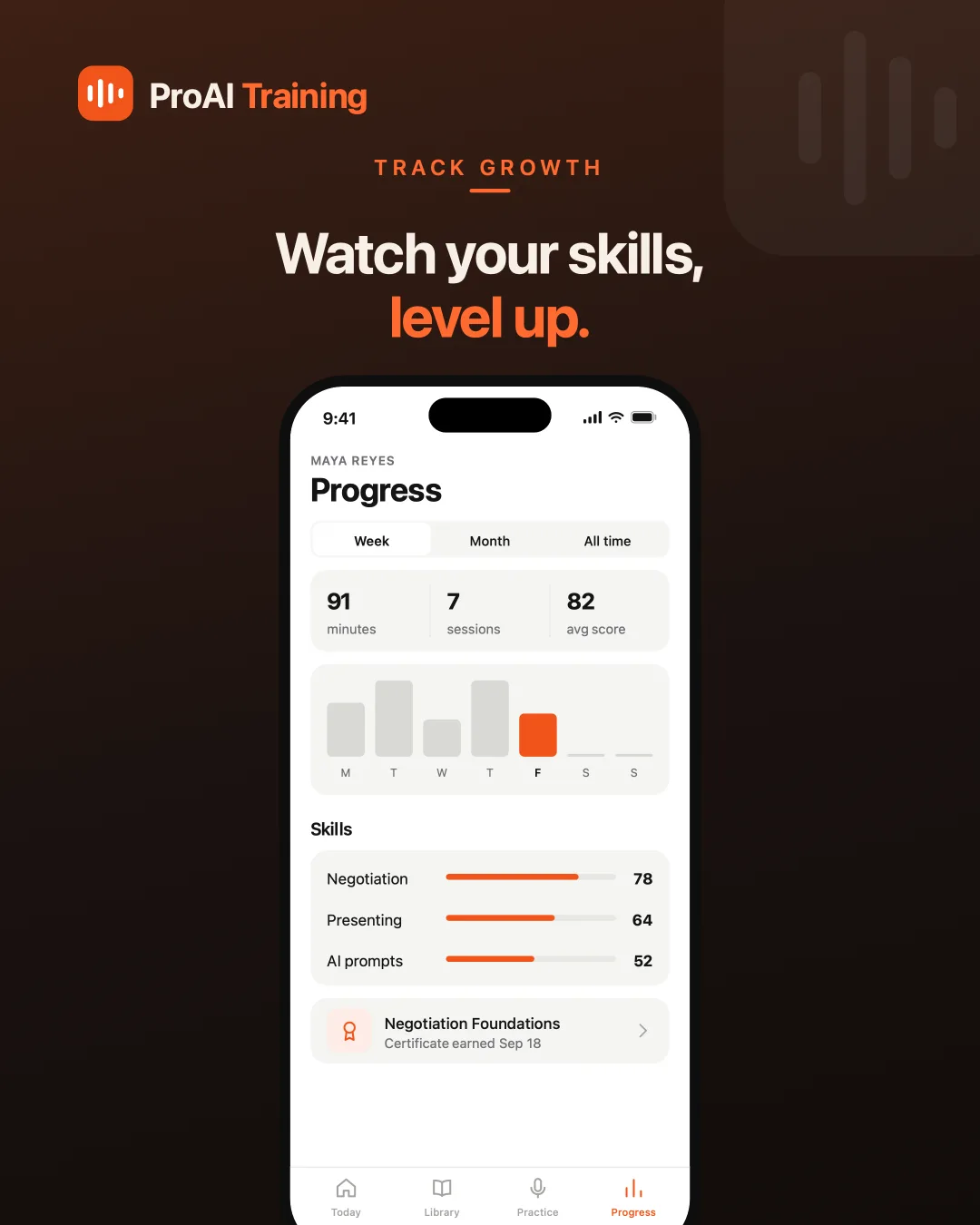
ProgressMinutes, sessions and per-skill mastery over a week, a month, or all time.
Outcome
The design is complete across the whole loop — onboarding, lesson, roleplay, report, progress — rather than a single hero screen. That matters for a product whose value only shows up on the third session, when the score moves and you can see which sub-score moved it.
The piece I would carry into the next build is the persona brief: giving the AI a role, an employer and one concrete grievance produced sharper conversations than any amount of instruction about tone. Constraints made the character argue; adjectives alone did not.