- Shopify app
- E-commerce
FrameRx, prescription eyewear made simple to sell
- Role
Solo developer — product and build
- Type
Shopify app, installed by the merchant
- Surfaces
Storefront flow and admin
- Sold as
One app, any eyewear store
Overview
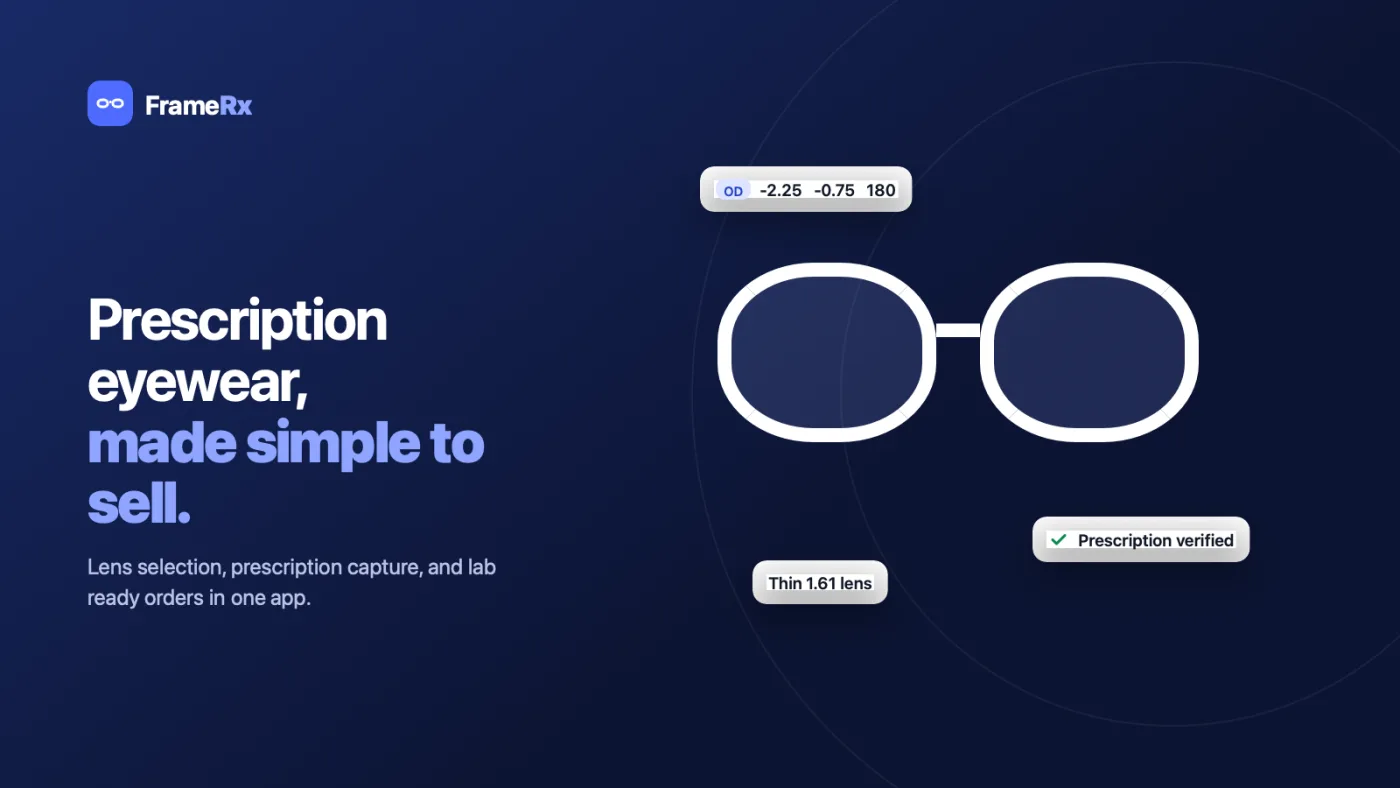
Selling a frame on Shopify is easy. Selling a frame with the right lenses in it is not: the shopper has a prescription on a piece of paper, four or five decisions to make about thickness and coatings, and no idea which of them apply to them. Most stores solve it with an email thread after checkout.
FrameRx puts that whole conversation on the product page. The shopper picks how they see, enters or photographs their prescription, and gets lens options filtered to what their eyes actually need — then the frame, the lenses and the prescription arrive as a single order the merchant can verify and send to a lab.
- A lens selector on any product or collection, styled to the theme
- Single vision, progressive, reading or non-prescription
- Type the prescription in, or photograph it and confirm the values
- Thickness and coating upgrades recommended from the prescription itself
- Frame, lenses and prescription stay together as one order
- A merchant queue for what needs review, what is verified, what went to the lab
- Flows built from steps and rules without touching code
Approach
The hard part is that no two eyewear stores sell lenses the same way. One carries three thicknesses, another six; one offers blue-light filtering free, another charges for it; one will not sell a 1.50 lens above a certain strength because it would be unwearable. Shipping a fixed checkout flow would have meant a fork per merchant, so the flow is data instead: steps, options and conditional rules the merchant assembles in the admin, with no code and no theme edit.
That is what the rule engine is for. A rule reads the prescription and changes what the shopper sees — when SPH is beyond ±4.00, hide Standard 1.50 and recommend Ultra thin 1.67 — so the upsell is optical advice rather than a banner, and the merchant never has to explain lens physics in a product description. Prescription limits sit alongside them, bounding what the store will accept at all.
Prescription data also has to survive the trip. Values typed into validated SPH, CYL, AXIS and PD fields are one thing; a photographed prescription is another, and a shopper who would rather send it later is a third. All three paths end in the same place — an order the merchant can open, check the typed values against the uploaded image, and export as a lab sheet — because a lab does not care which route the numbers took.
It installs like any Shopify app and renders through the storefront rather than asking the merchant to paste a snippet into their theme, which is what keeps it viable across themes nobody has seen.
What the shopper sees
Six steps from the product page to the cart, with the prescription captured in the middle rather than chased afterwards.
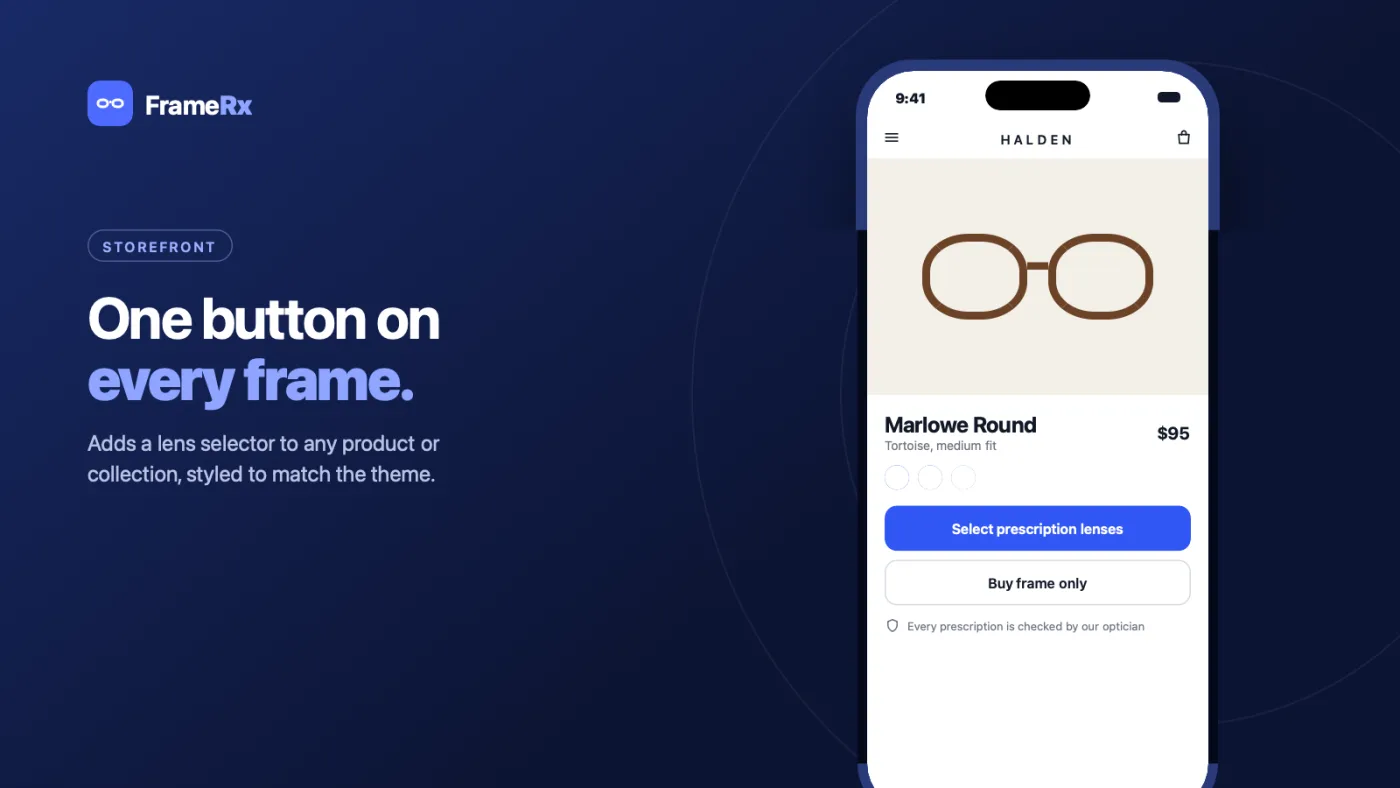
Product pageAdds a lens selector to any product or collection, styled to match the theme. 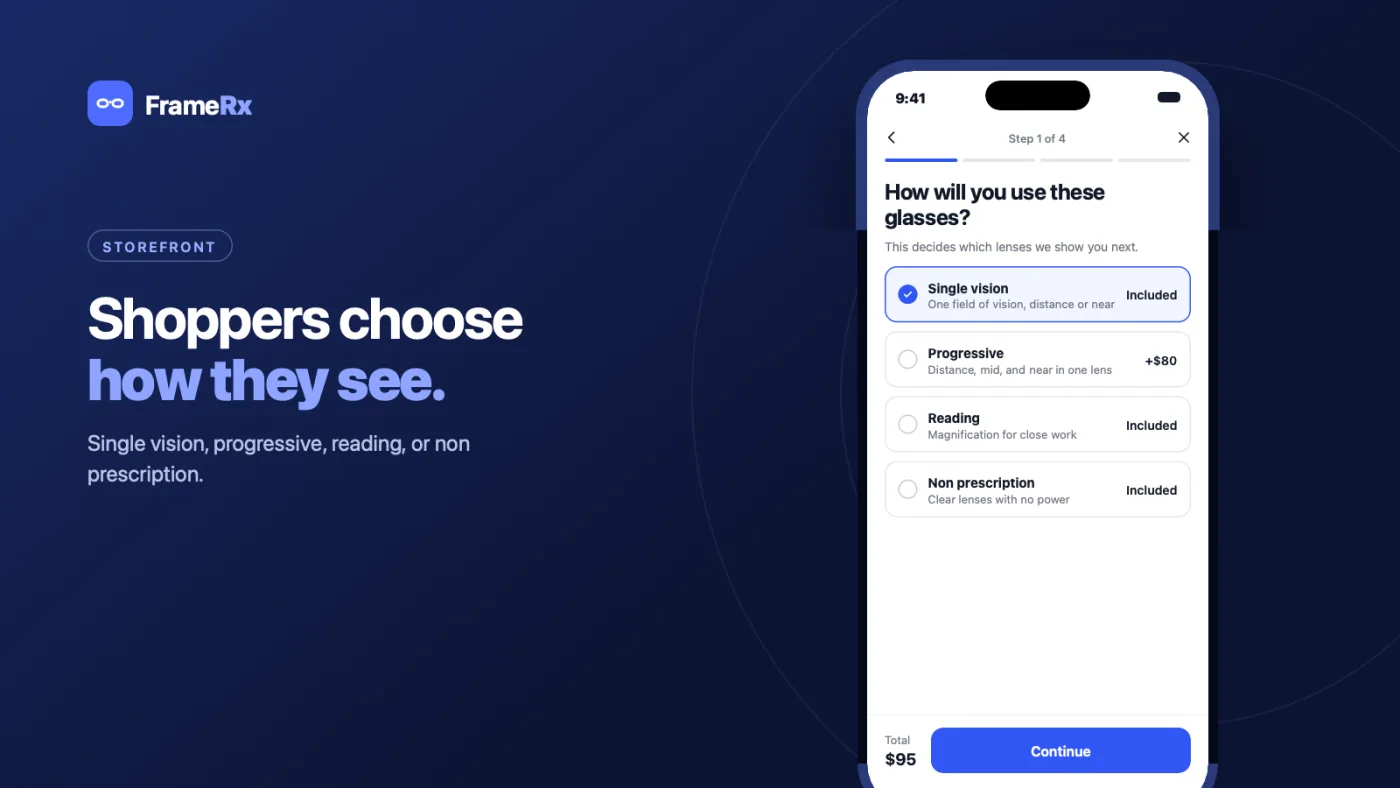
Lens typeSingle vision, progressive, reading, or non-prescription. 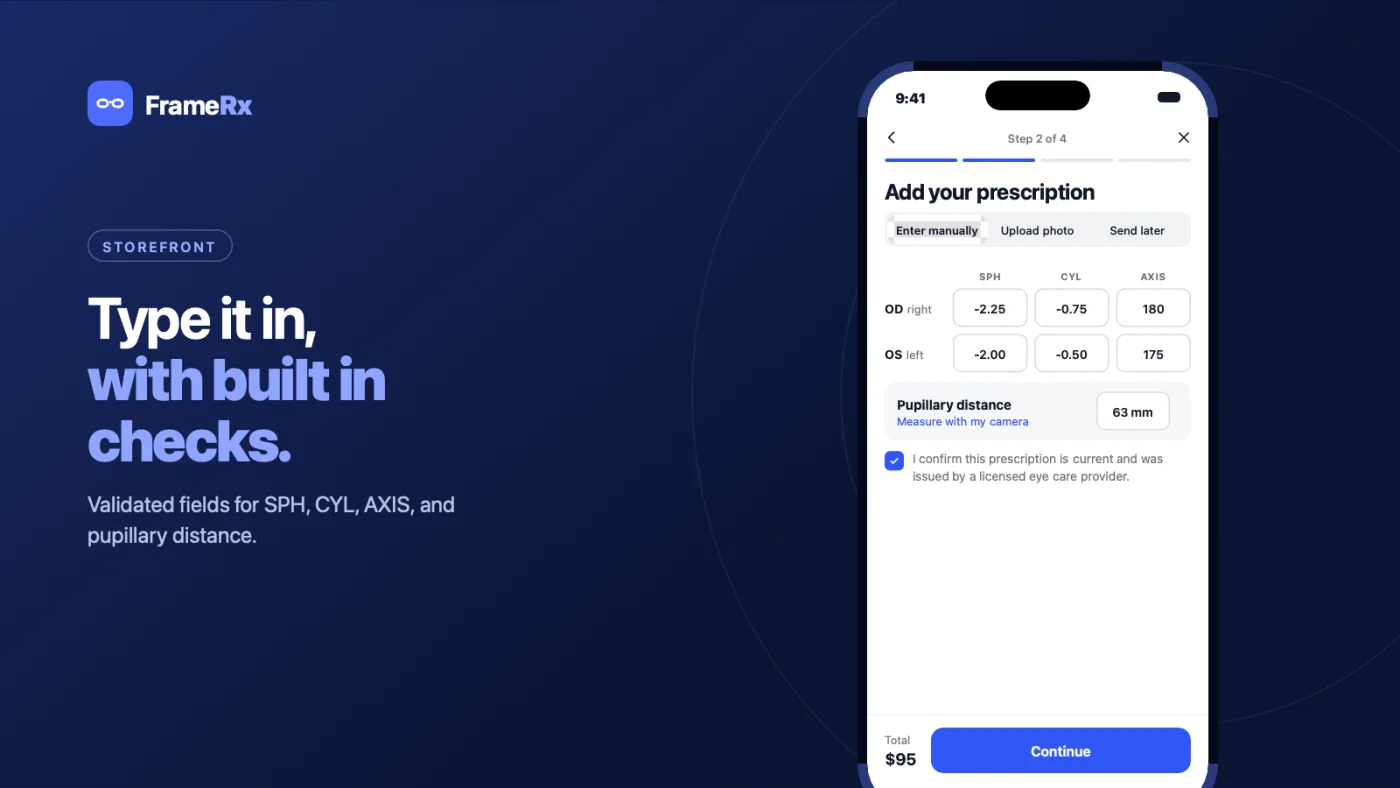
Enter prescriptionValidated fields for SPH, CYL, AXIS and pupillary distance. 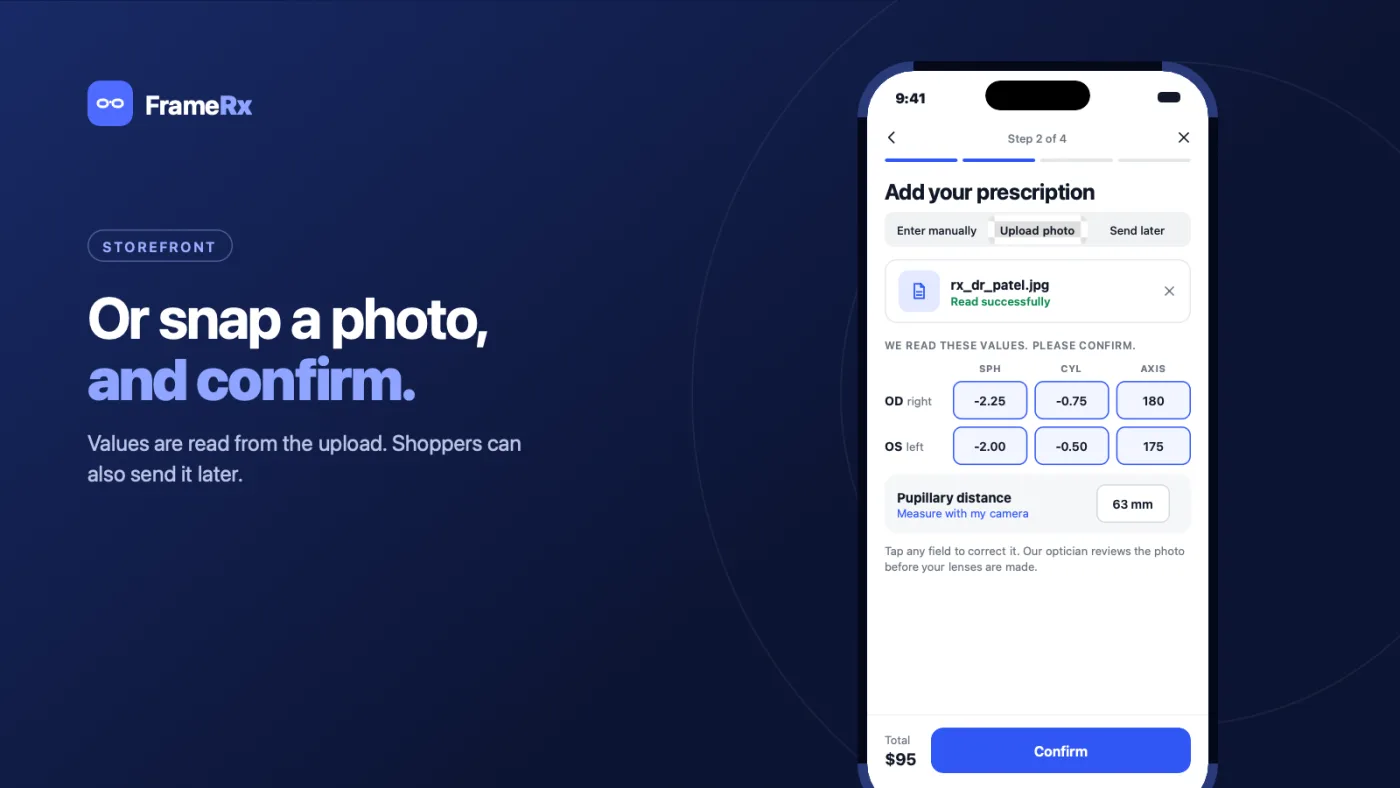
Upload prescriptionValues are read from a photo. Shoppers can also send it later. 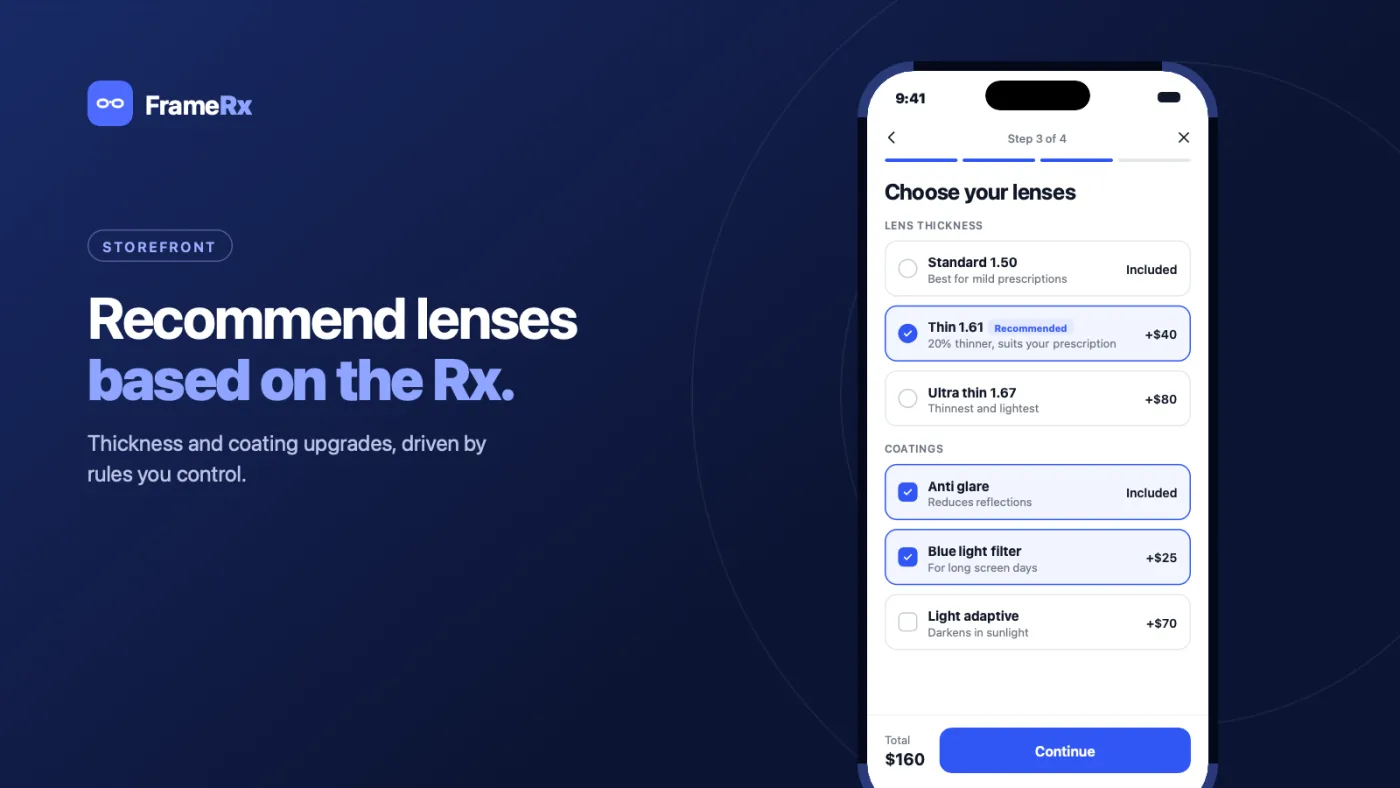
Lenses and coatingsThickness and coating upgrades, driven by rules the merchant controls. 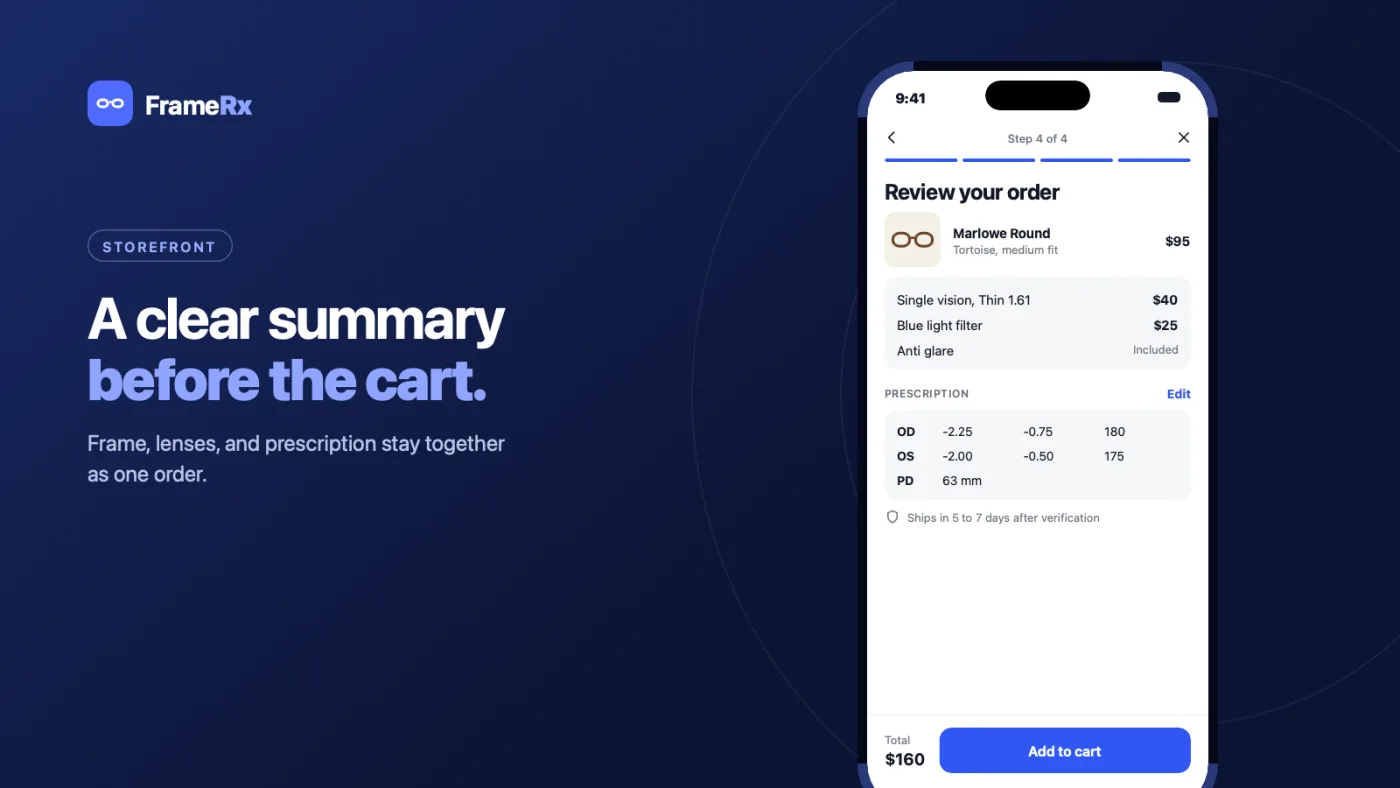
ReviewFrame, lenses and prescription stay together as one order.
What the merchant gets
The admin side is the half that decides whether a store keeps the app installed.
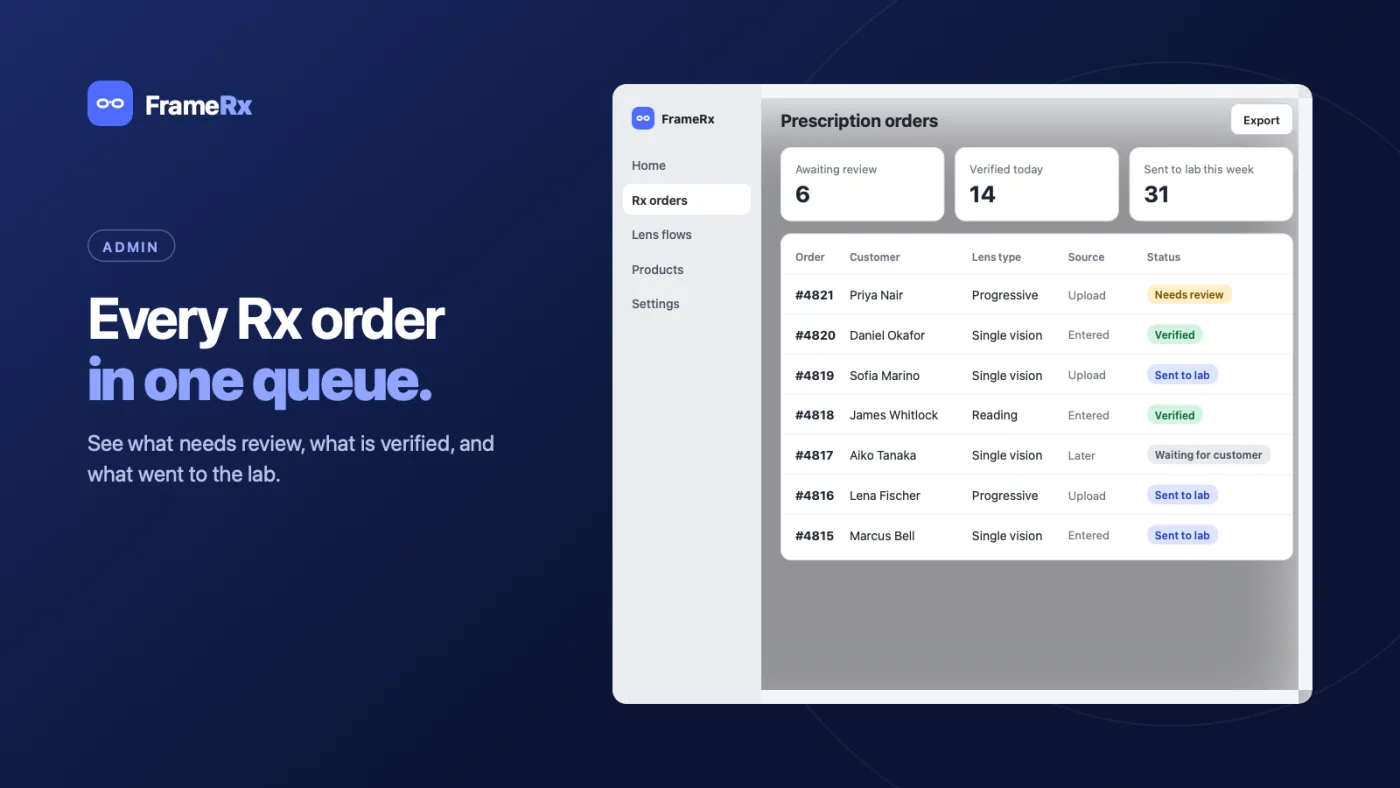
Rx ordersOne queue: what needs review, what is verified, what went to the lab. 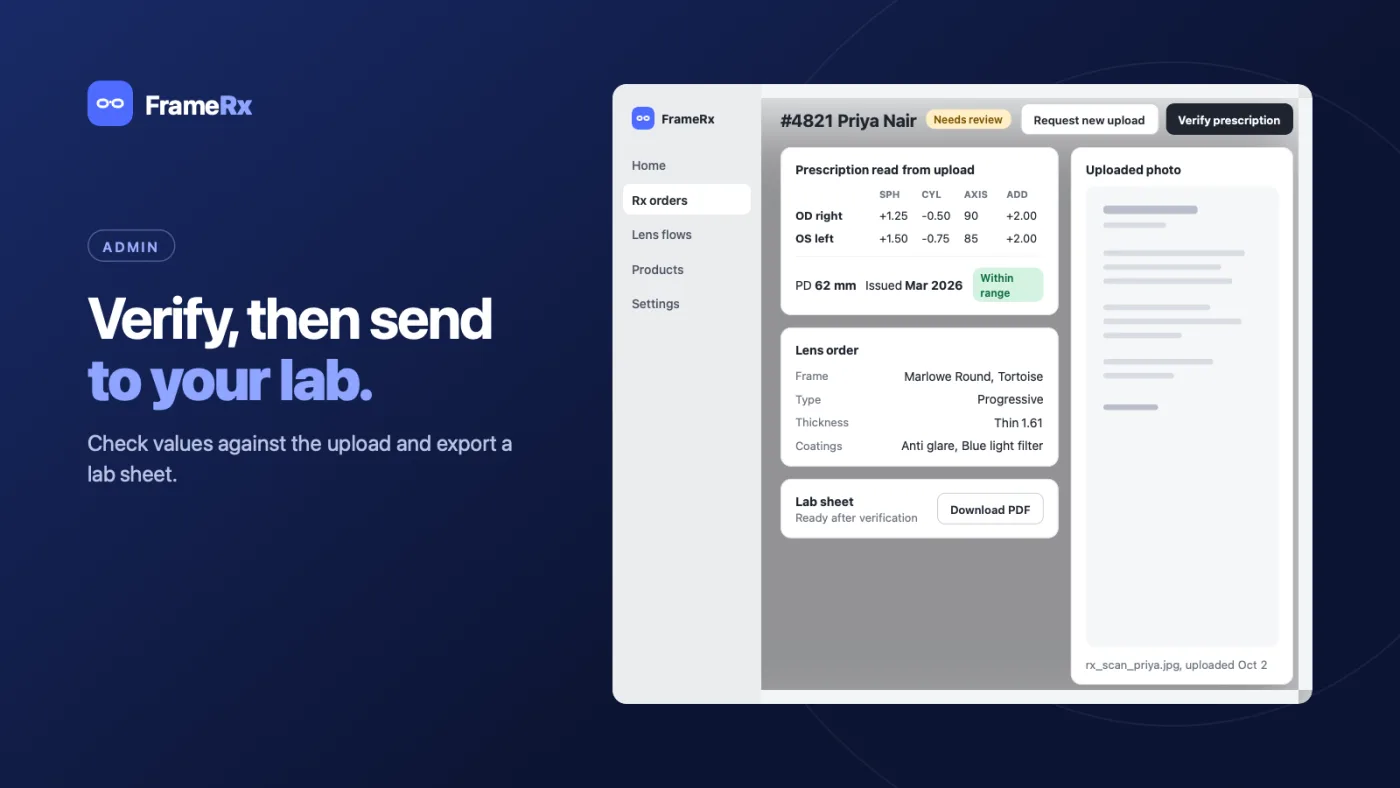
Order verificationCheck the typed values against the upload, then export a lab sheet. 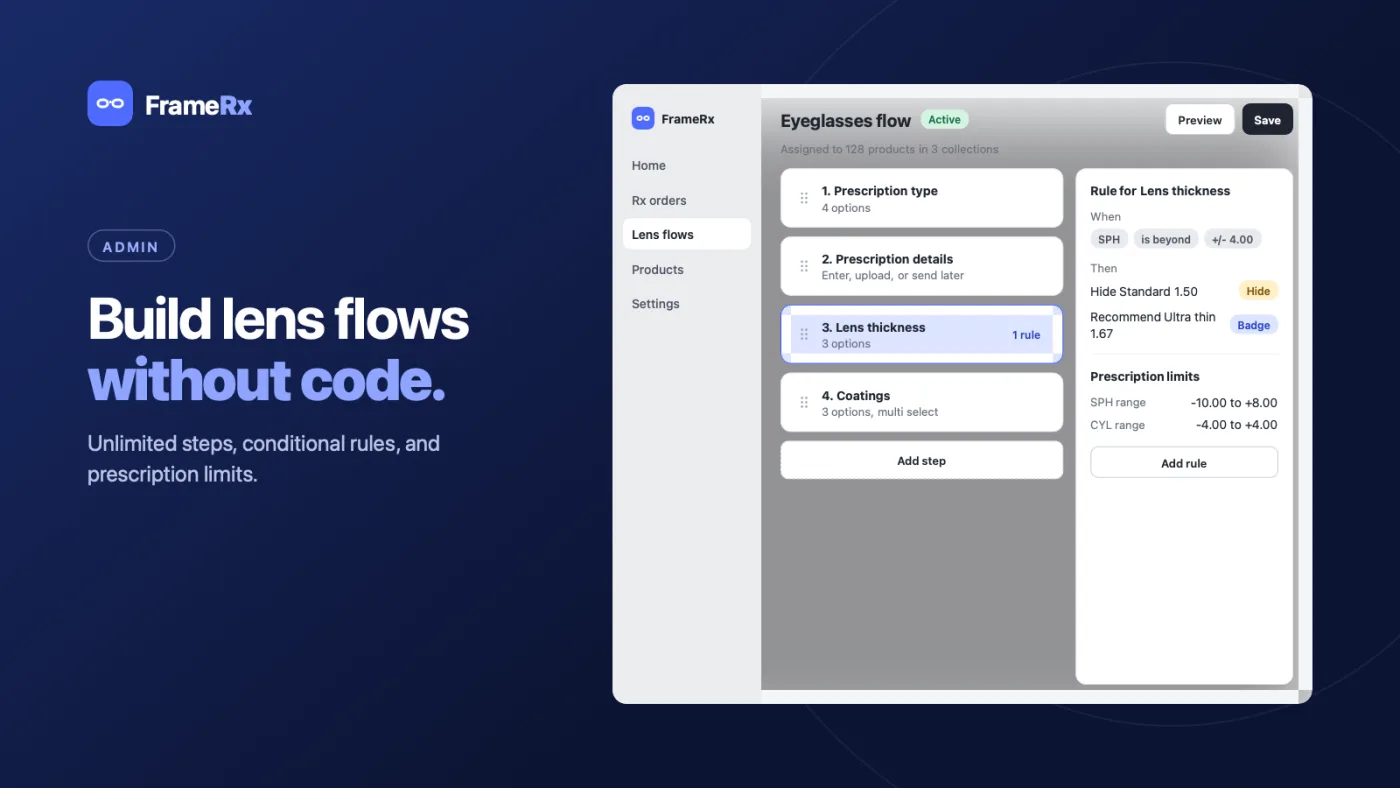
Flow builderUnlimited steps, conditional rules and prescription limits, without code.
Outcome
One app covers both sides of the sale: a guided flow the shopper can finish unaided, and a queue that tells the merchant exactly which orders are waiting on a human. Nothing about it is specific to one store’s catalogue, which is the point of building it as an app rather than a bespoke build.
The decision worth repeating is making the flow configuration rather than code. Every merchant request that would otherwise have been a change request — another coating, a different limit, a step reordered — became something they could do themselves in the builder, which is the difference between an app and a series of one-off projects.