- iOS & Android
- AI assistant
Clearday, a day planner that reads the day back to you
- Role
Solo developer — app and backend
- App
Flutter, iOS and Android
- Backend
API, sync and the AI layer
- AI
Brief, recap, review, coach
Overview
Most people run their life across four apps that do not speak to each other: a to-do list, a calendar, a habit tracker, and a note somewhere with the goals in it. Each one is reasonable on its own. Together they guarantee that the to-do list cheerfully assigns six hours of work to a day with five hours of meetings in it, and that nothing ever reviews how the week actually went.
Clearday is a Flutter app for iOS and Android that puts them on one surface and adds the part none of them do: it reads the result back. A brief in the morning that says where the clear hours are, a recap at night of what moved rather than finished, a weekly review that separates what worked from what did not, and suggestions built from a month of your own data rather than from general advice about productivity.
- A Today screen that opens with a written brief, not an empty list
- Quick add that reads a typed sentence and shows you what it understood
- Events and tasks on one timeline, so a plan knows what the day already holds
- Reminders that carry the context and offer to block the hour
- Habits with streaks, and trackers for sleep, mood, water, steps and spending
- Goals tied to the tasks and habits that actually move them
- An evening recap and a weekly review that separates what worked from what did not
- Suggestions drawn from your own weeks, applied only when you say so
Approach
Organizer apps do not die from missing features. They die from entry friction: five taps to add a task is enough that within a fortnight you stop adding them, and an organizer nobody puts anything into is just a clean empty screen. So the first thing built was quick add — you type “remind me 1 hour before” in plain language, and the date, the reminder, the category and the repeat come back parsed. The part that matters is that they come back as visible, editable rows under a heading that says Understood. A parser that guesses silently is worse than no parser, because you find out it was wrong on the day you miss the thing.
Tasks and events live on one timeline for the same reason. A to-do list that cannot see your calendar has no idea it is lying to you, and the single most useful sentence the app produces — “your afternoon is clear from 2:00, a good slot for the budget report” — is only possible because both sides are in the same place. That one line is the whole argument for merging them.
Reminders carry their reason and an action. “Leave in 10 minutes” is followed by what the meeting is and that the notes are ready, with Block the hour and Snooze underneath. A notification that only names a thing hands the work back to you: you still have to open the app, find the item, and decide. Putting the decision in the notification is what makes it worth sending.
Goals are attached to the things that move them. Each one shows a percentage, the tasks and habits feeding it, and the literal next action with a time on it — “7 km run on Saturday”, “move $150 on payday”. A goal that is only a number and a deadline is a wish; a goal that names tomorrow’s step is a plan, and the app already holds the step.
The AI is placed only where there is something to say, and every suggestion shows its evidence. “You skipped reading 4 nights, always after 10 PM. You are free at 7:30 AM on most days” is a claim the user can check against their own week, which is the difference between advice and a horoscope. Four weeks of data is the minimum before the screen offers anything at all.
Nothing acts without consent. Every suggestion carries Apply and Not now; the chat proposes a focus block and waits for Yes, block it before touching the calendar, then reports exactly what it did and that notifications are muted until then. An assistant that rearranges your day unasked gets uninstalled the first time it is wrong, and it will be wrong — so the design assumes that and keeps the last move human.
Planning the day
Everything that happens before the day is lived: what is on it, what is being added to it, and when the app will interrupt.
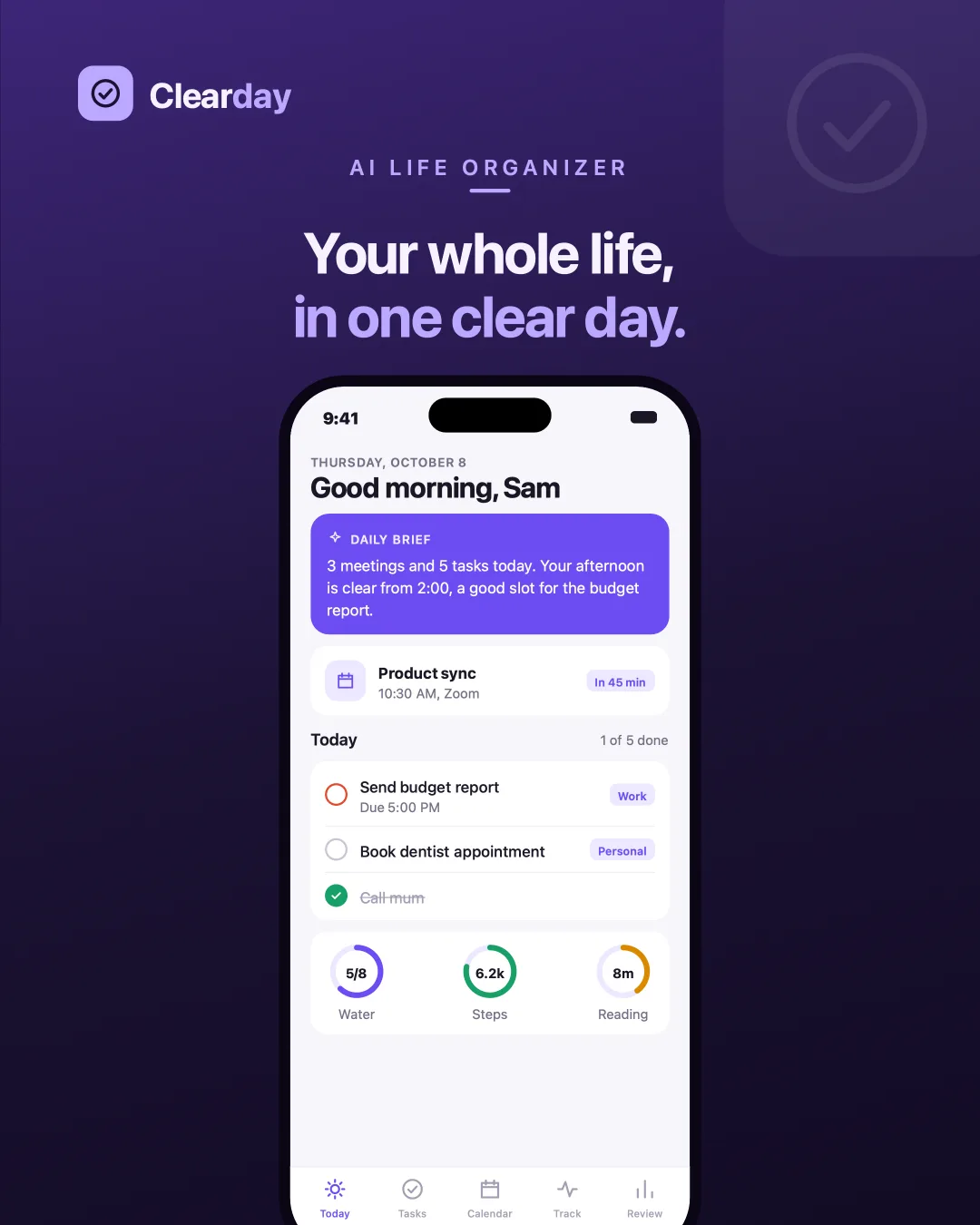
TodayOpens with a brief: what is on, where the clear afternoon is, what to put in it. 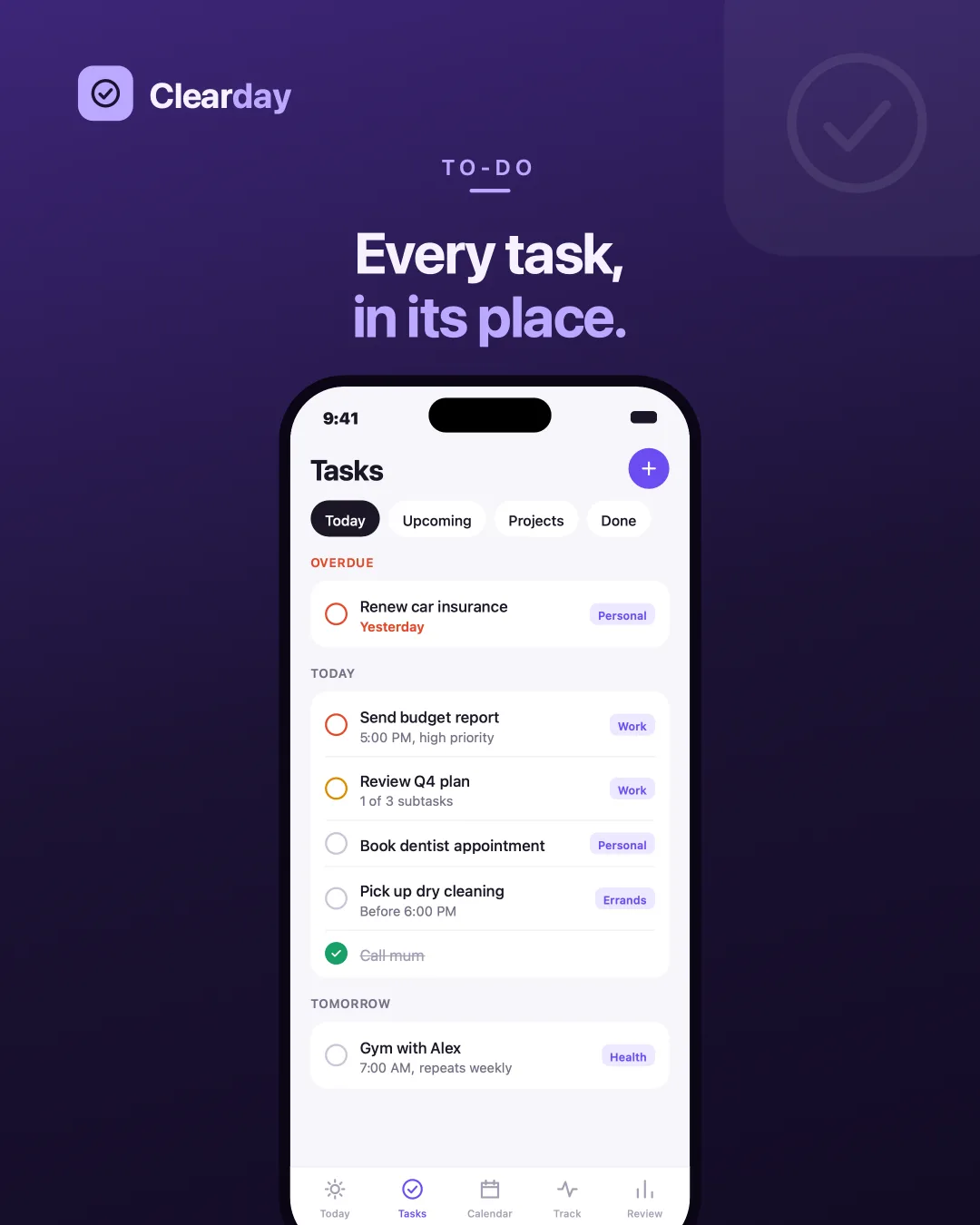
TasksOverdue, today and tomorrow, each with a time, a priority and the project it belongs to. 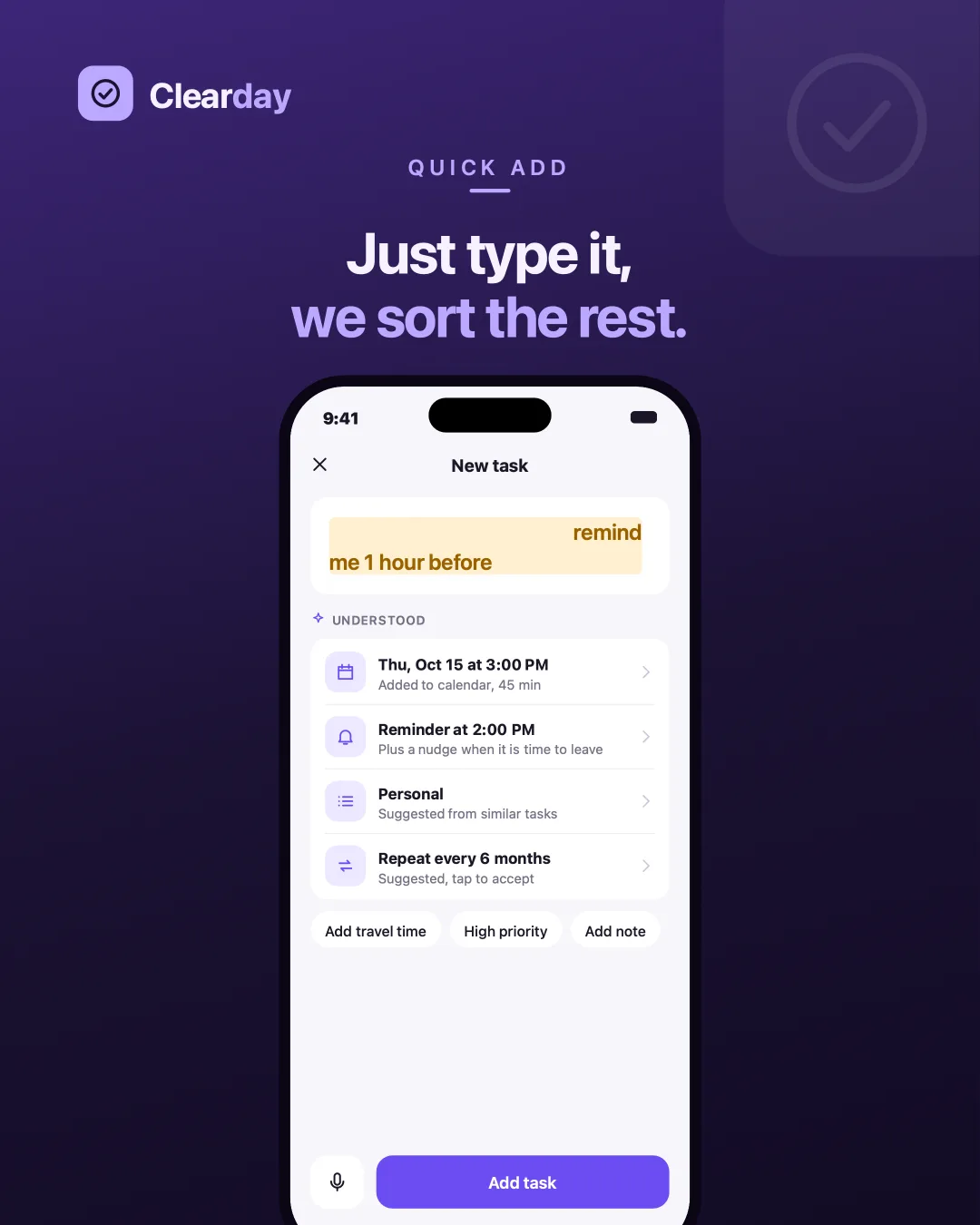
Quick addType a sentence; the date, reminder, category and repeat come back as rows you can edit. 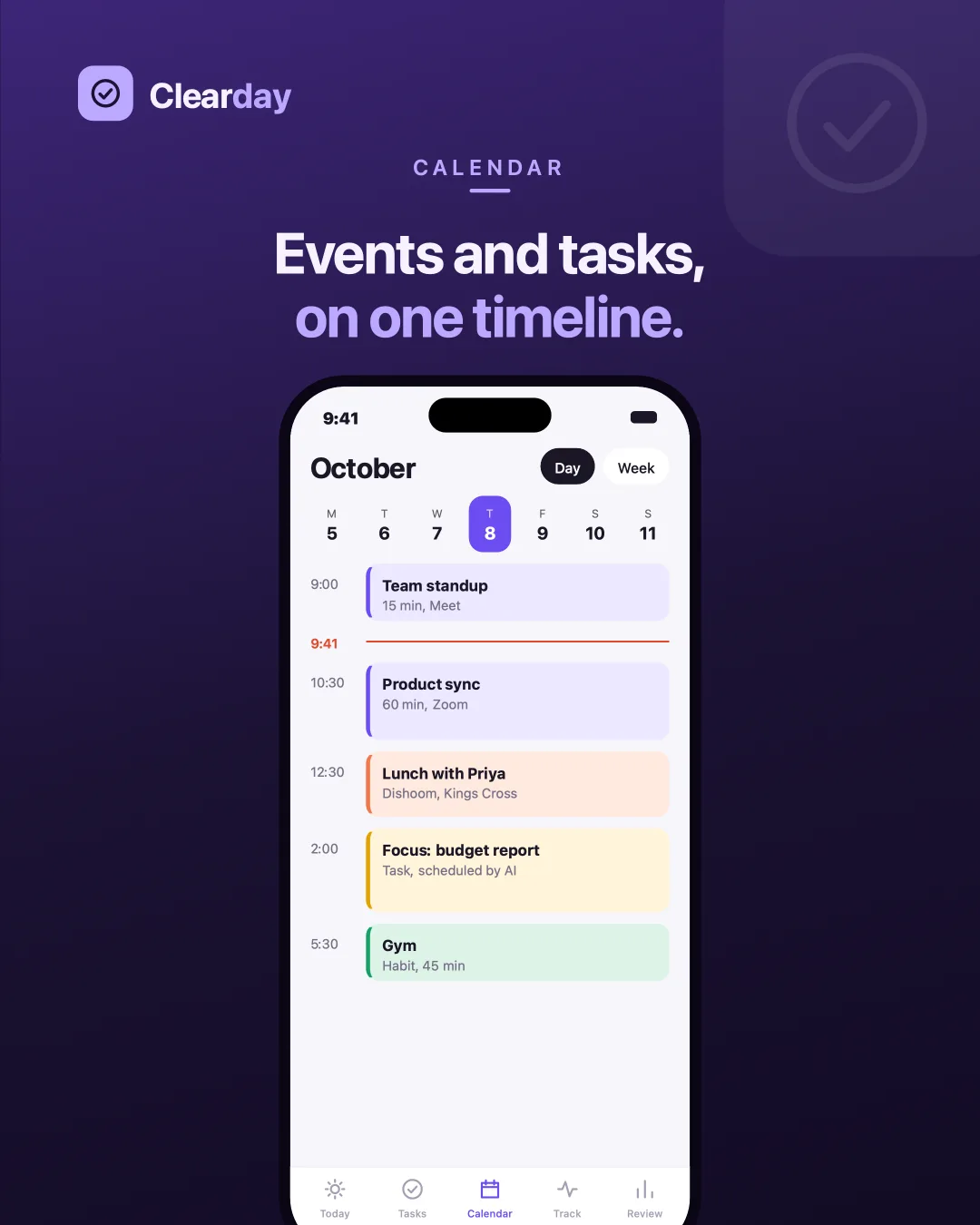
CalendarMeetings, tasks and habits on one timeline, by day or by week. 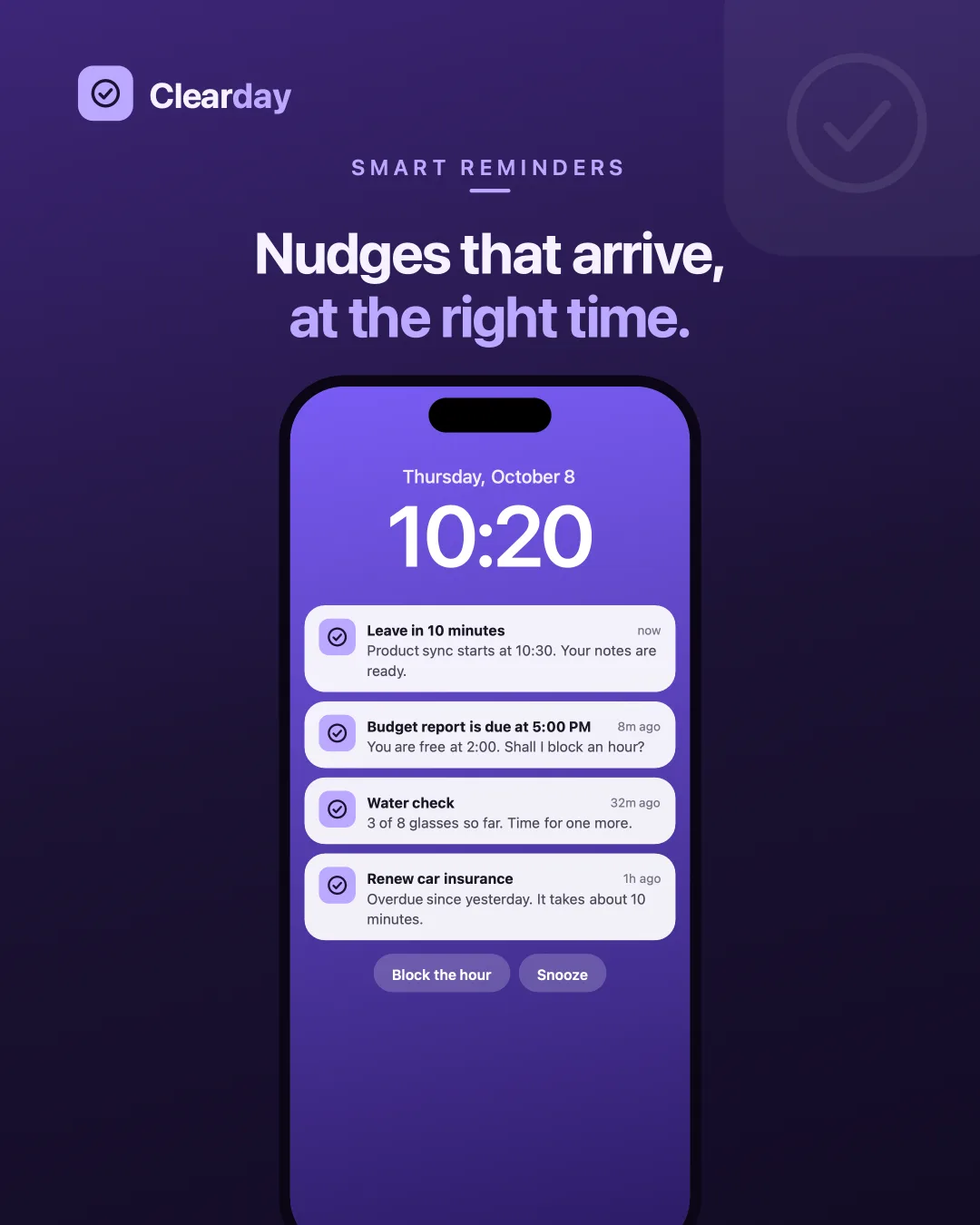
RemindersEach nudge says why it fired and offers the next move — block the hour, or snooze. 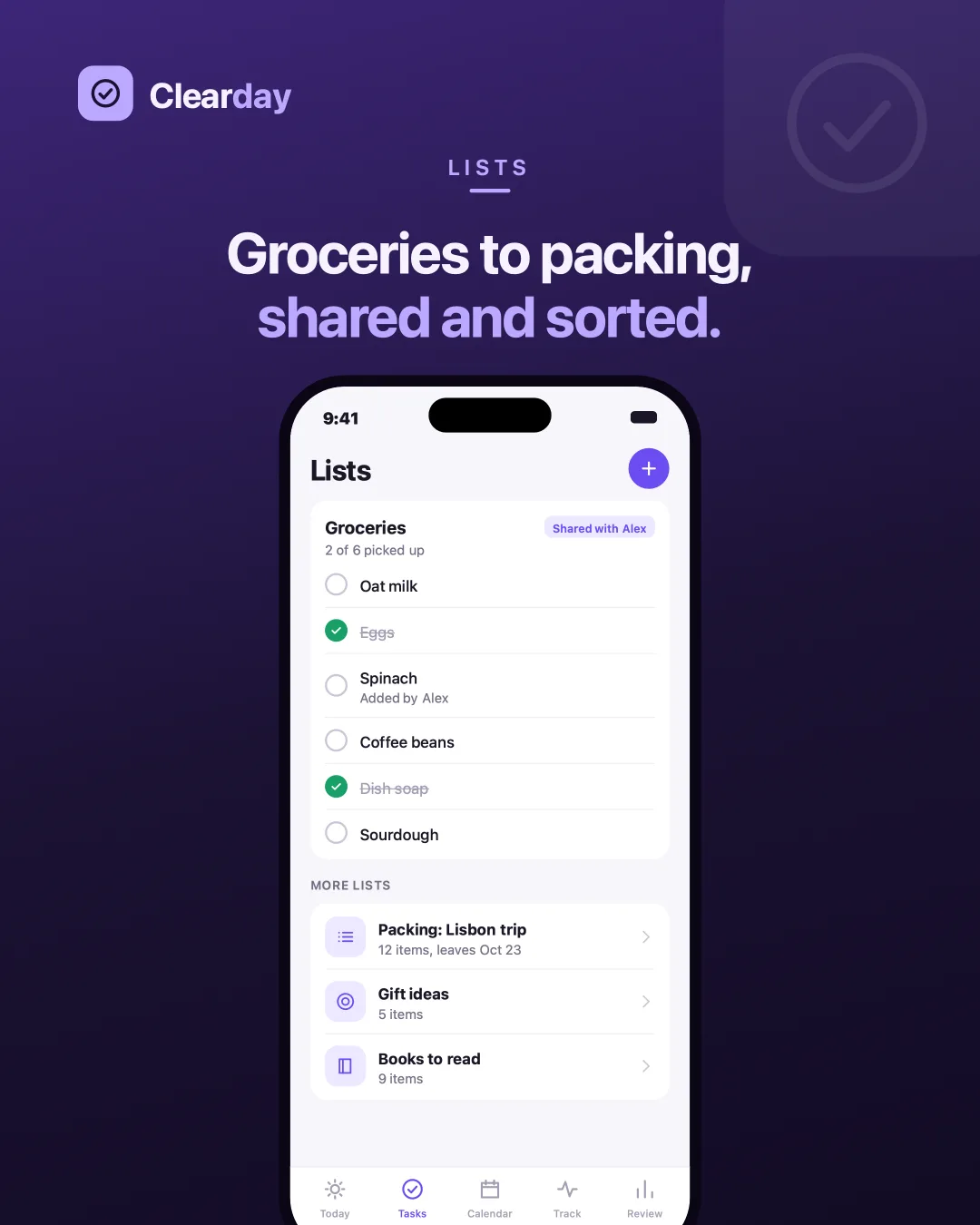
ListsGroceries, packing, books — shareable, so two people are not keeping the same list twice.
What repeats
The things measured by repetition rather than by being finished — and the goals those repetitions are supposed to add up to.
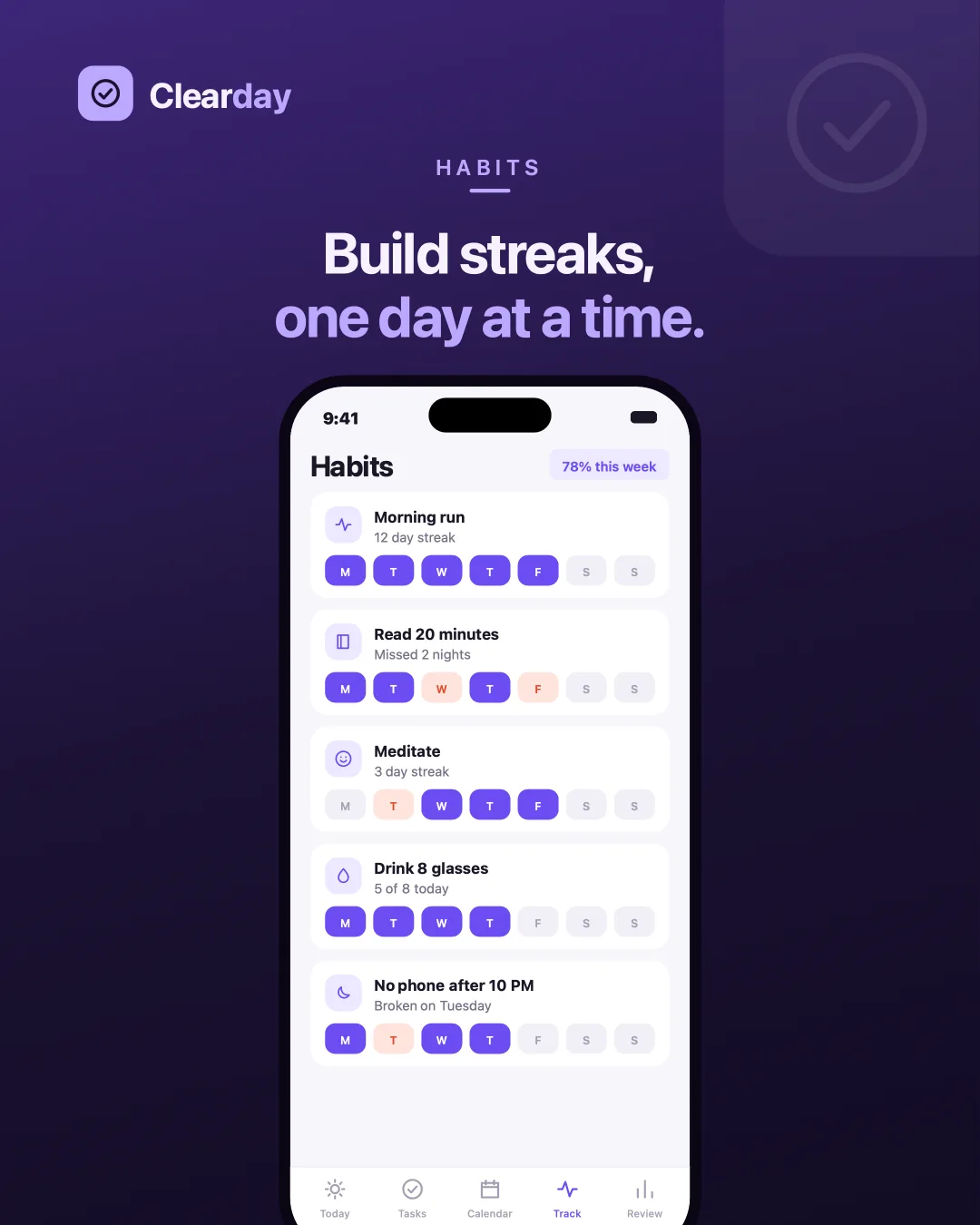
HabitsA streak and a week at a glance, including the days it broke. 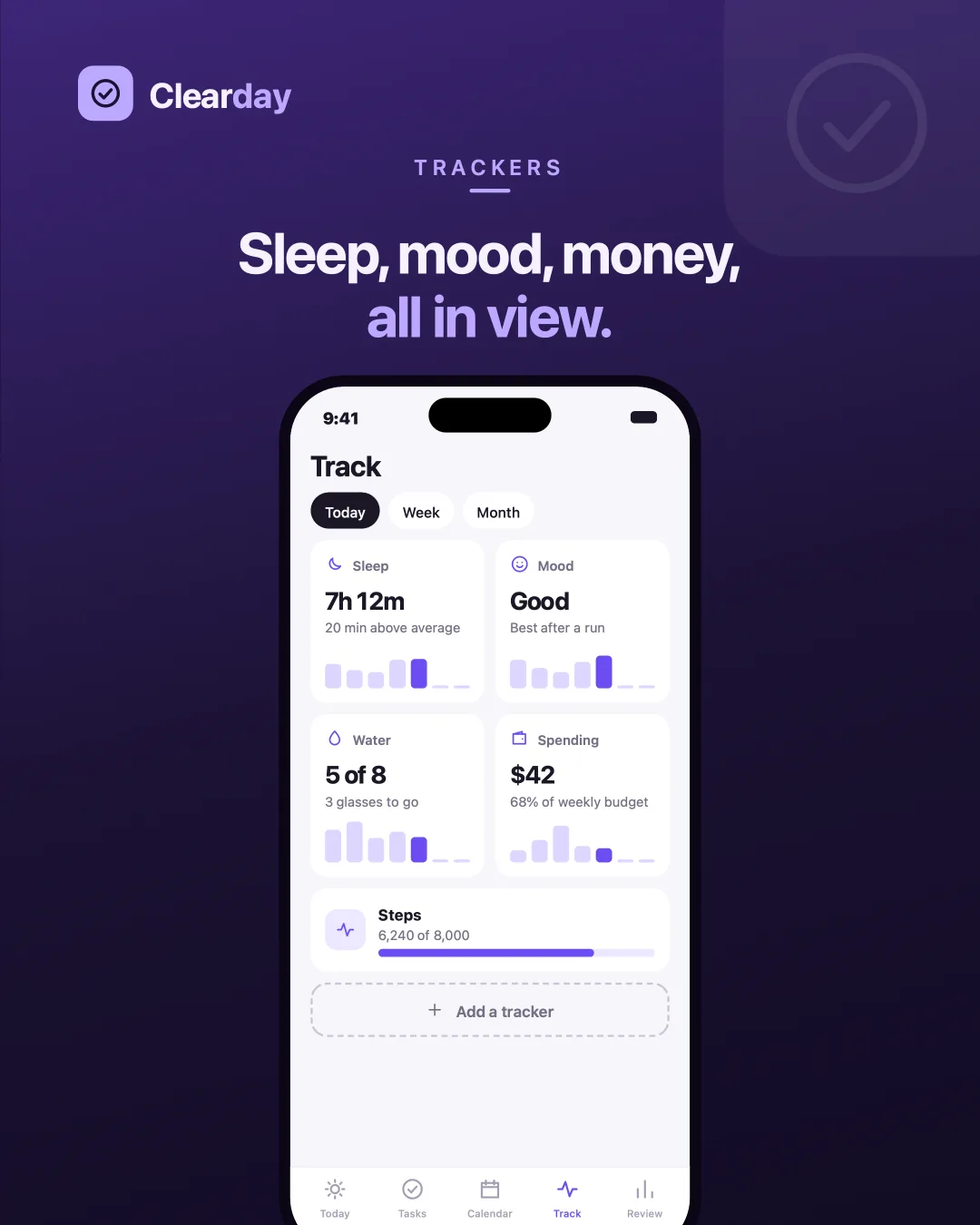
TrackersSleep, mood, water, spending and steps, each against its own recent average. 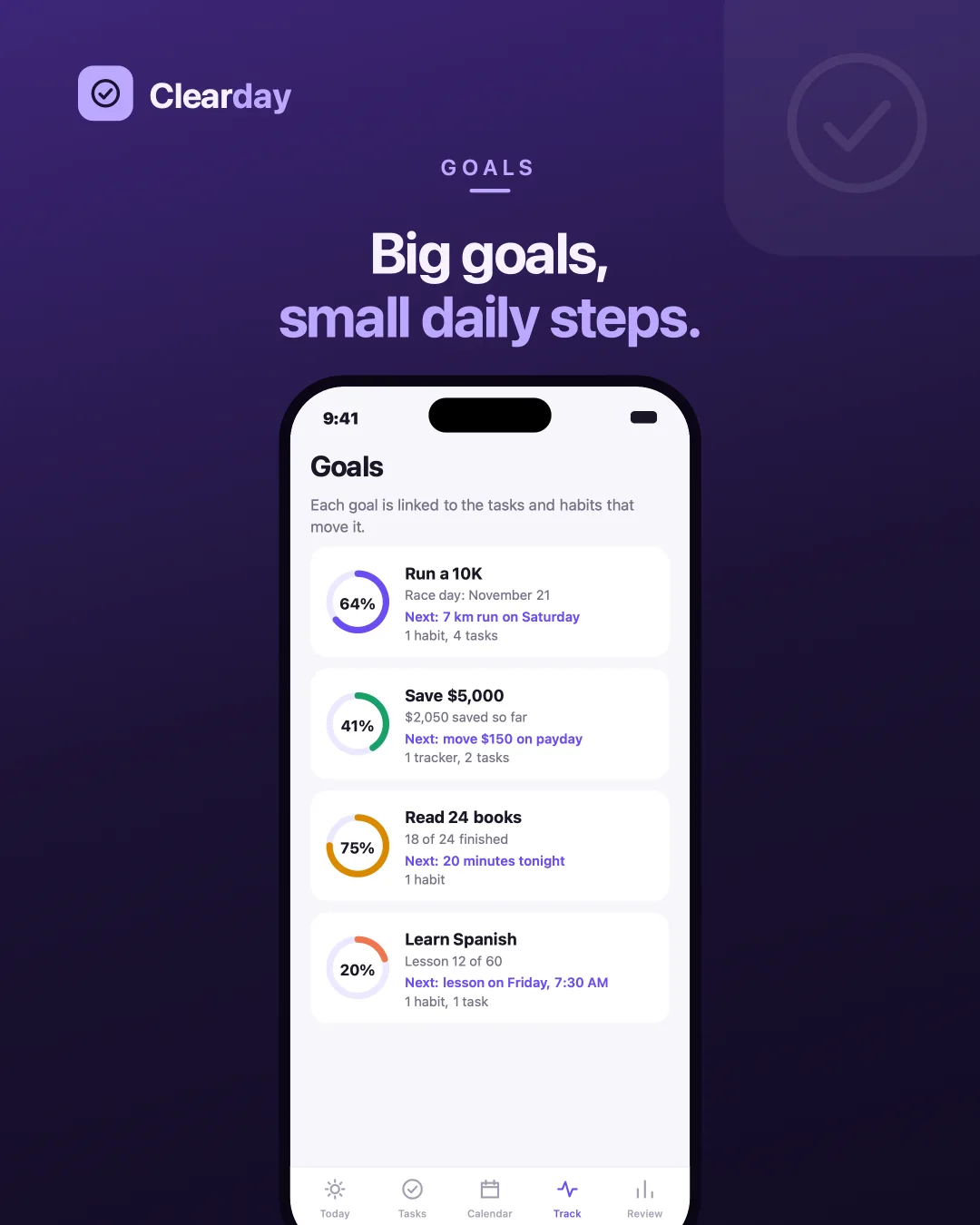
GoalsA percentage, the tasks and habits feeding it, and the literal next step.
What it tells you back
The half most organizers skip: closing the day, closing the week, and saying something specific about both.
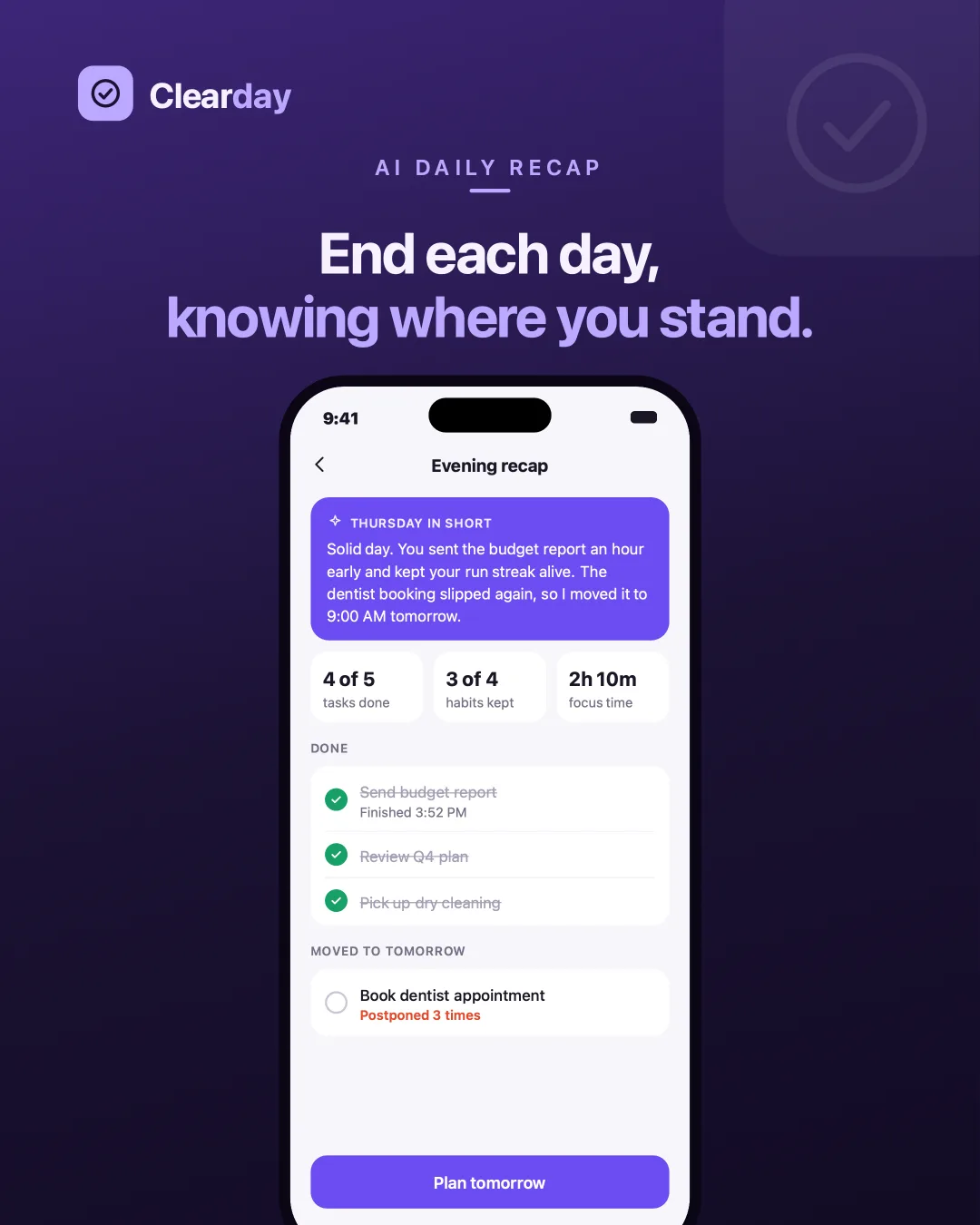
Daily recapThe day in a paragraph, what got done, and what was moved rather than dropped. 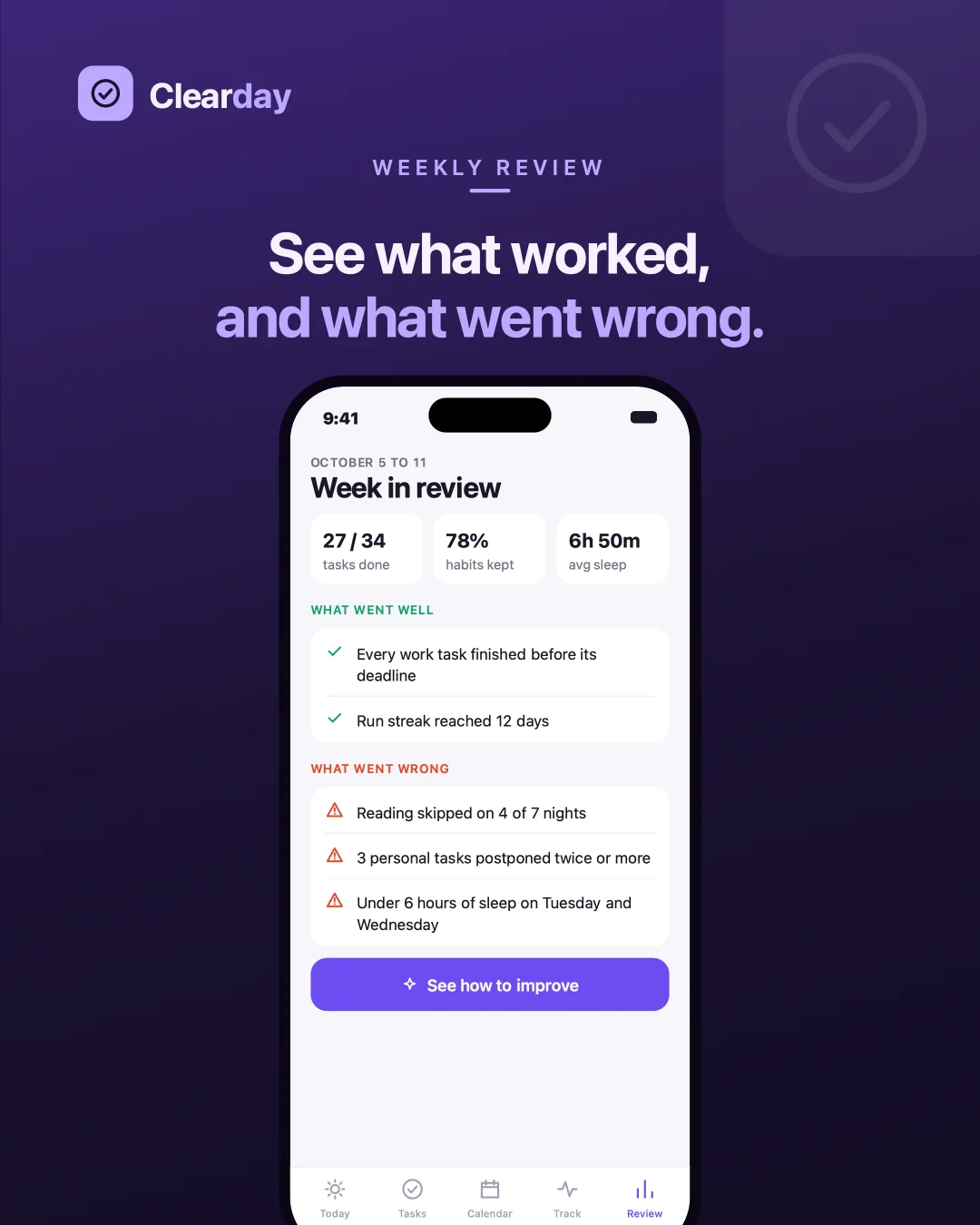
Weekly reviewWhat went well and what went wrong, kept as two separate lists. 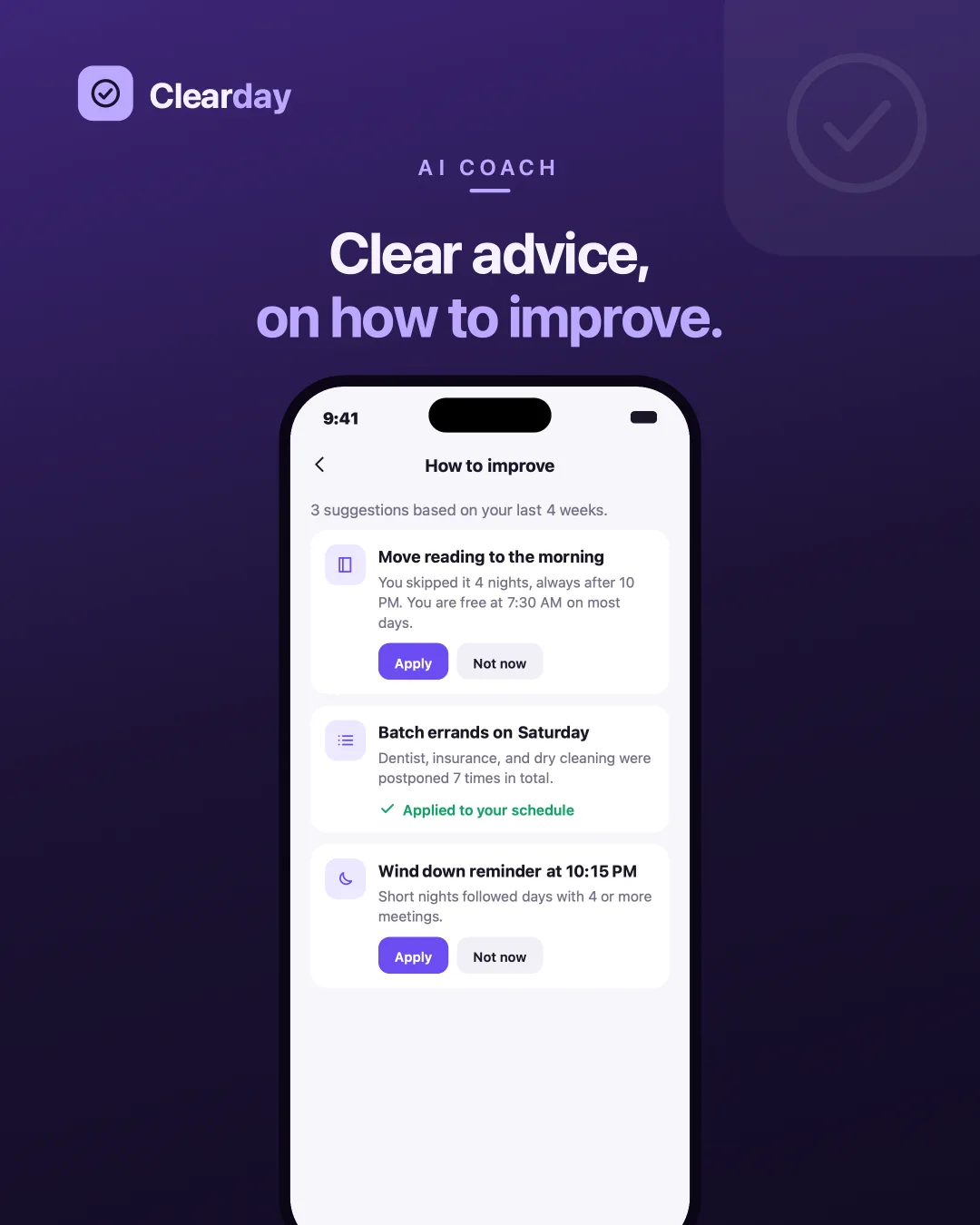
How to improveThree suggestions from the last four weeks, each applied or dismissed by you. 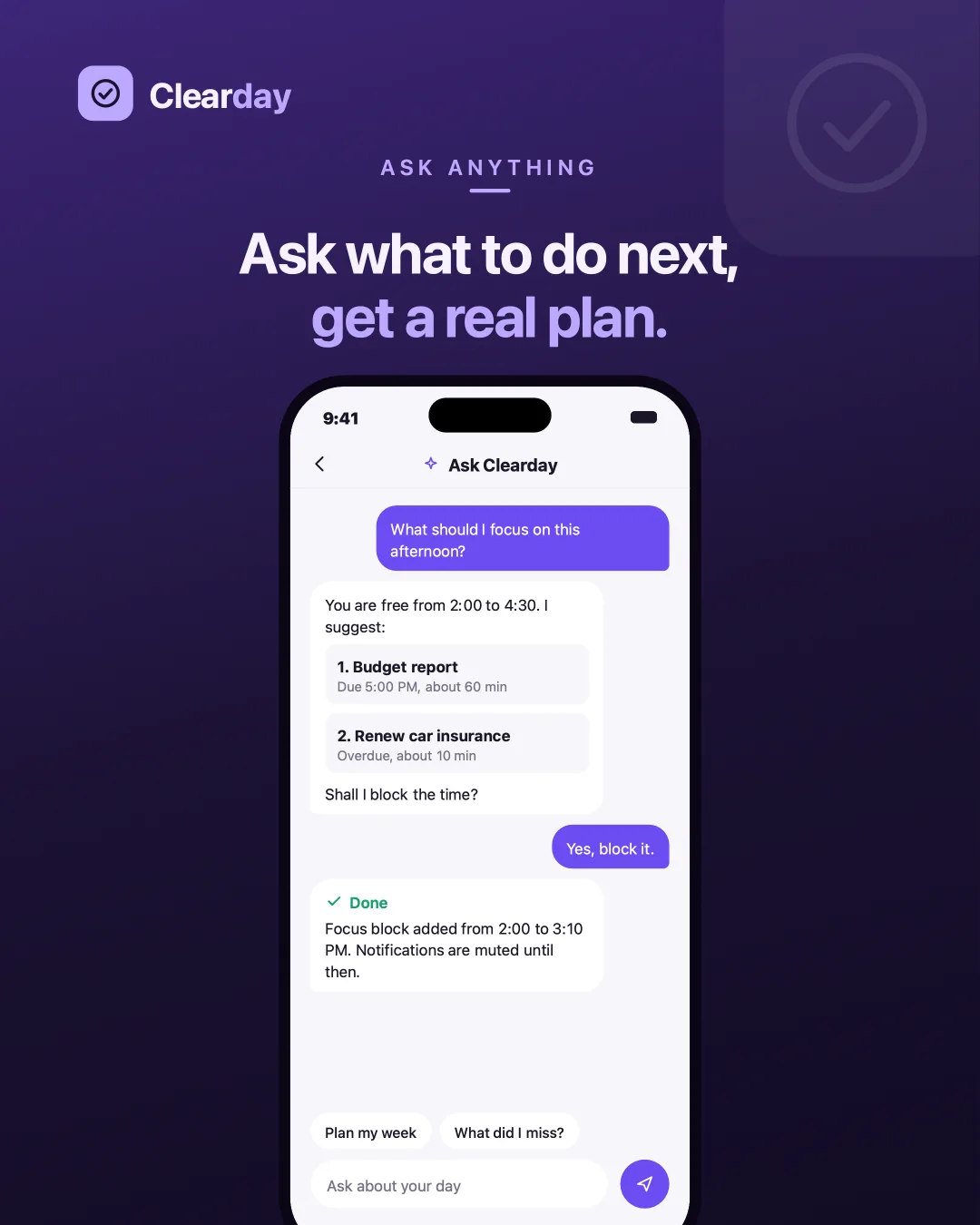
Ask CleardayIt reads the day, proposes a plan, and waits for a yes before changing anything. 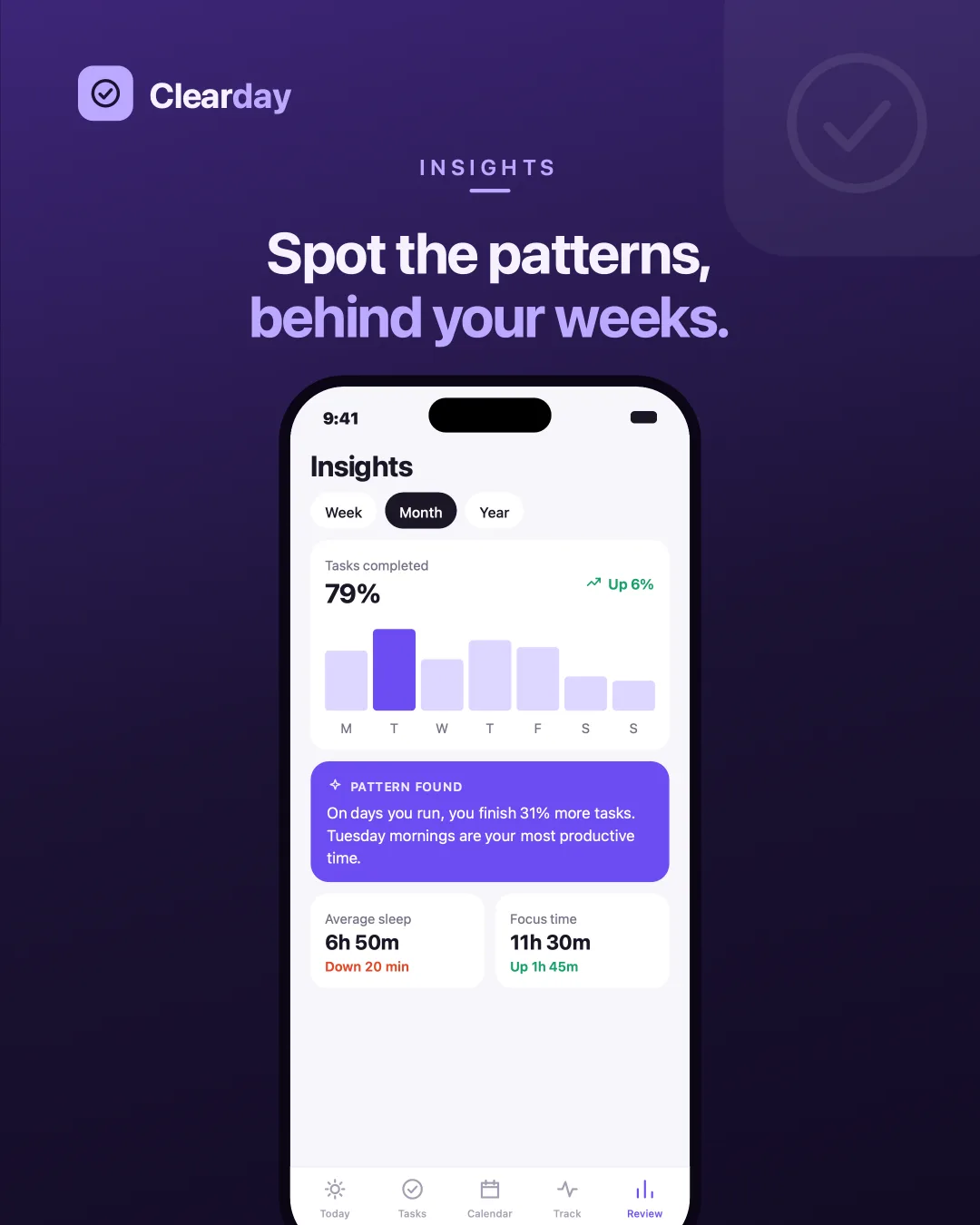
InsightsA named pattern across weeks, not just a chart of what already happened.
Outcome
A closed loop rather than a feature list: plan the day, live it, track what repeats, read an honest account of how it went, and apply one change to next week. Each screen is designed to hand something to the next one, which is what four separate apps can never do.
The decision I would carry forward is making every AI suggestion cite the weeks it came from and wait for a yes. It costs a tap, and it is the only reason a person keeps trusting the thing on the day it suggests something daft.