Warehouse automation for online stores: bins, scanning and 3PL connections before robots
Warehouse automation for small online stores: bin locations, barcode scanning, batch picking, choosing a WMS and what a 3PL API connection really involves.
By Rokibul Hasan8 min read
- E-commerce
- Fulfilment
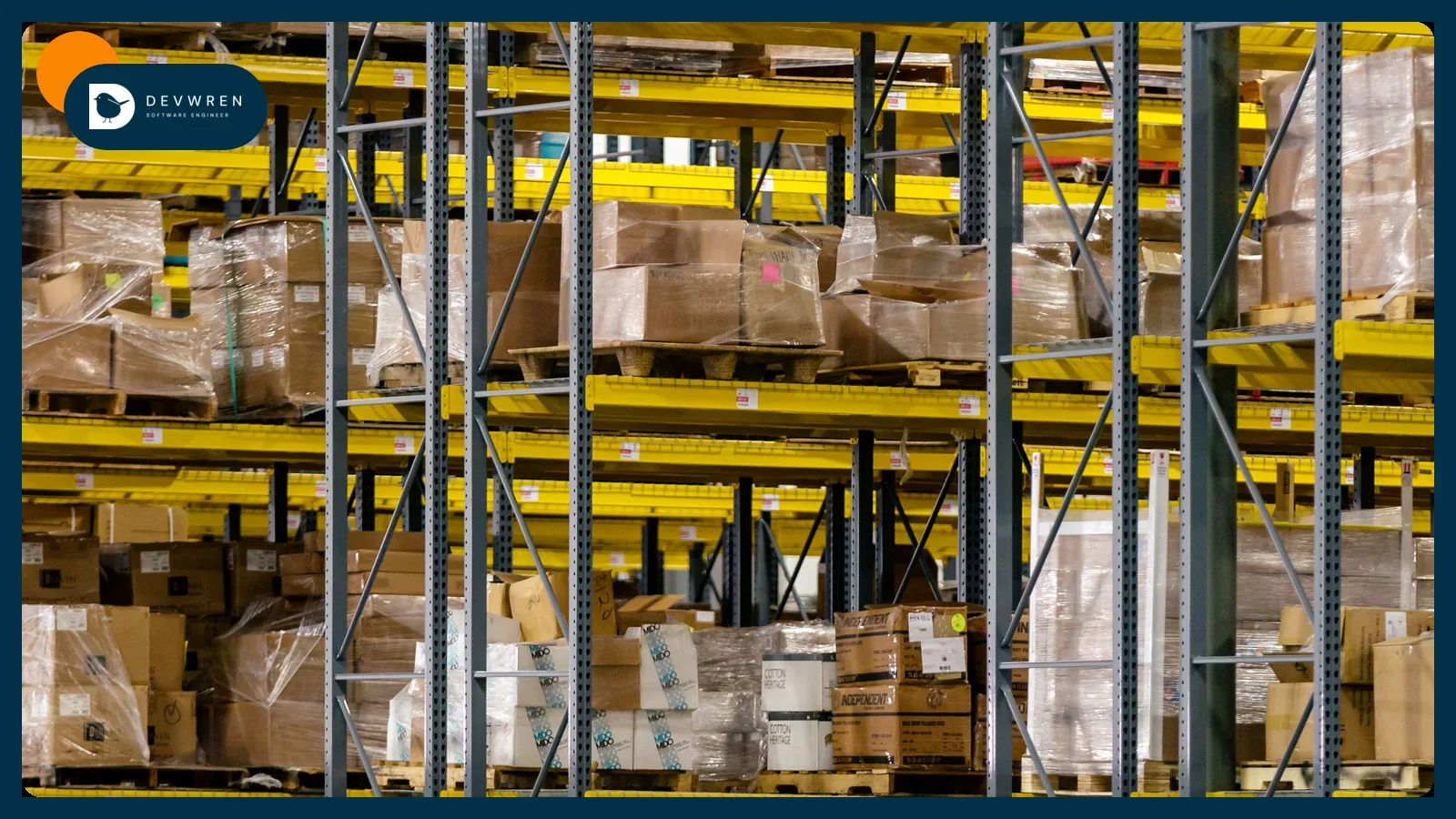
Search for warehouse automation and you get robots, conveyors and case studies from companies shipping a million parcels a week. If you run a small warehouse, a stockroom or a unit with a few hundred orders a day, none of that applies. Your errors come from a picker reading the wrong shelf, a count nobody trusts, or an order sitting in one system while another says it shipped.
This guide is for online sellers packing their own orders, and for those deciding whether to hand the job to a third-party logistics provider (3PL). It covers automation you can do with software and a barcode scanner: where to start, where scanning pays, which tool fits which size, and what a 3PL or WMS connection really involves.
I build integrations on official APIs and I do not run a warehouse, so the volume thresholds below are rules of thumb and the worked figures are illustrations, not measurements.
Warehouse automation starts with where things are
Software cannot direct a picker to a shelf with no name, so give every storage position an address first. A simple scheme is aisle, bay, shelf: A-03-2 is aisle A, bay 3, shelf 2. Number in walking order, print each address as a barcode on the shelf edge, and keep fast sellers near the packing bench.
If you are on Shopify, this no longer needs a separate app. Shopify's bin locations let you organise stock at specific shelves, racks or compartments, added through a CSV import and edited in the bulk editor. Bins are sorted in picking order and appear on pick lists. There are two limits. Each variant can have only one bin per location, and transfers move stock between locations, not between bins inside one, so overflow stock on a top shelf needs a tool that tracks it.
That second page confirms Stocky stopped being available on 31 August 2026. Purchase orders, stock counts and bins now live in the Shopify admin, and past Stocky records did not carry over.
Sort out your barcodes
Every sellable item needs one barcode that means one thing. Two kinds are common:
- Manufacturer barcodes. Products that carry a GTIN already have a globally unique number. Save it in the barcode field of each variant.
- Your own codes. For items with no barcode, print a label carrying your SKU, usually as Code 128. Label at receiving, before stock reaches the shelf.
Then check for trouble: variants sharing a barcode, products with none, and bundles. A bundle has no physical existence on a shelf, so pick its components and keep the mapping in one place. Most USB and Bluetooth scanners act like a keyboard, so a basic scanner and a spreadsheet are enough to test all of this.
Five scan points, ranked by what they prevent
Each scan exists to stop a specific mistake, so you can add them one at a time.
| Scan point | What the scan confirms | What it prevents |
|---|---|---|
| Pack | The item in hand matches the order | Wrong item shipped |
| Pick | The right product from the right bin | Wasted walking, mis-picks found late |
| Receive | Delivery matches the purchase order | Paying for stock that never came |
| Put away | Stock went to the bin the system says | "We have it but cannot find it" |
| Count | The shelf matches the record | Slow drift between system and reality |
Start with the pack scan. It is the last chance to catch an error, it needs only one scanner at the bench, and shipping software already supports it. To see why it pays, take a store shipping 120 orders a day with 1% going out wrong. That is about 26 mistakes in a 22-day month, each costing a return, a replacement parcel and a support conversation. Put your own figures in that sum and compare it with the cost of a scanner.
Batch picking: a worked example
Picking one order at a time means walking the warehouse once per order. Batch picking collects several orders in one walk.
Assume 30 orders, about 3 minutes of walking each. That is 90 minutes for single-order picking. Pick in three batches of 10 at around 8 minutes of walking each and you spend 24 minutes, though you add time sorting items into orders at the end. Totes with one order per slot keep that sorting small.
Single-item orders are the easiest win, because they need no sorting: pick 40 of the same product and print 40 labels.
Veeqo's digital picking shows what this looks like in software: the default batch is 10 orders up to a maximum of 20 items, and pickers scan barcodes to confirm each pick or tap the screen if an item has none.
Keep the numbers honest
Automation built on a wrong stock figure only makes mistakes faster. Two habits keep it honest.
Learn your inventory states. On Shopify, on hand means all units at a location, available means units you can sell, and committed units are set aside and cannot be sold. A warehouse count should be compared with on hand, not available, or every open order looks like a shortage. Since 1 October 2026, Shopify's inventory reports measure stock by on hand quantity instead of available, so older comparisons may not line up.
Count a little, often. A full stocktake shuts you down and is out of date within days. Cycle counting checks a few bins every day: fast sellers weekly, slow ones monthly or quarterly. Shopify's stock counts support full or cycle counts with a manager approving results before levels change, and Quick count in Shopify POS handles spot checks. Investigate any variance over a threshold you set, because a pattern usually points at a process fault.
If you hold stock in more than one place, routing matters too. Shopify's default rules try to minimise split shipments, stay in the destination market and then ship from the closest location, and plans include 10 inventory locations (200 on Plus). Rules that go beyond this, such as sending some orders to FBA, are covered in Amazon MCF order fulfilment.
Warehouse automation tools by size
These bands are my rough guide, not a standard. SKU count, bundles and the number of pickers matter as much as order volume. Prices were read on each vendor's page in November 2026.
| Roughly | Tool | What you get |
|---|---|---|
| Up to 20 orders a day | Shopify admin, bins and pick lists | Bins, counts and purchase orders at no extra cost |
| 20 to 100 | ShipStation | Pick lists on all plans; "Barcode scan – verify & print" from Standard, listed from $29.99 a month for 50 shipments |
| 20 to 200 | Veeqo | Shipping free; digital picking and scanner on Inventory plans from $19 a month |
| 200 and up, several pickers | A WMS such as ShipHero | Inventory, picking and packing, and labour management modules; pricing by quote |
The trigger for a real warehouse management system (WMS) is rarely volume alone. Look for several people working at once, stock for one SKU in several bins, lot or expiry tracking, or receiving that takes up a whole day.
Whichever you pick, decide what owns stock from then on. The ecommerce tech stack post explains how to set that ownership.
What a 3PL or WMS connection involves
Most 3PLs and WMS products offer an app for Shopify and the main marketplaces, and you should use it if it fits. A custom connection is justified when it does not: a channel they do not support, routing rules of your own, or several warehouses feeding one view.
Three real interfaces show the shape of the work:
- Shopify. A fulfilment service has its own location. Merchants send it requests, it accepts or rejects them, and it creates a fulfilment with tracking.
- ShipBob. A versioned REST API creates orders, and webhooks such as
order.shippedandorder.shipment.exceptionreport progress. Its docs state that webhooks are not guaranteed to be sent only once, and that resends keep the samewebhook-id, so you store IDs and ignore repeats. - ShipHero. A GraphQL API with metered query credits, plus webhooks such as Inventory Update and Order Packed Out.
Before signing with a 3PL, or building against one, get answers on these:
- Who owns stock figures, and how often do they reach your channels?
- How are bundles and kits handled?
- What happens when an item is short at picking?
- How do changes and cancellations work after an order is sent?
- How does tracking get back to each channel, and how fast?
- How are returns recorded and restocked?
- Is there a test account, and can you export your data if you leave?
Whatever you choose, keep a daily list of orders past a set age with no tracking. Stock from suppliers is a separate problem, covered in supplier inventory feed automation.
Robots, and why not yet
Physical automation pays when labour is the main constraint and volume is high and steady. At small scale, software-first warehouse automation comes first, because anything physical depends on accurate locations and stock data anyway.
FAQ
At what order volume do I need a WMS?
There is no fixed number, because complexity matters as much as volume. As a rough guide, many stores can run on platform tools or shipping software up to a couple of hundred orders a day. Look at a WMS when several people pick at once, the same SKU sits in several bins, you need lot or expiry tracking, or receiving has become a bottleneck. Try bins and scanning first, since a WMS depends on both anyway.
Can I use barcode scanning without a WMS?
Yes. Shipping tools such as ShipStation offer scan-to-verify on some plans, and Veeqo's picking works through its app or a scanner on its Inventory plans. Shopify also stores a barcode for each variant and shows bins on pick lists. A pack-bench scan catches most wrong-item errors, so it is the cheapest place to begin. You need a full WMS only when you must track stock in several bins and direct people between them.
Should I automate my warehouse or move to a 3PL?
Compare the real cost of each, including your own time. A 3PL suits stores with steady volume, simple products and no wish to run a building, and it gives you extra capacity at peak. Keeping fulfilment in-house suits custom packing, kitting, personalised items or thin margins that per-order fees would erode. Either way you need clean SKUs and barcodes, so that work pays off whichever way you decide.
If your warehouse tools and sales channels do not agree, send me a short brief: orders a day, SKU count, where stock sits, what software you use and where errors appear. You can start a marketplace MVP enquiry or see marketplace integrations. One connection, such as tracking from a 3PL back to a channel, is the kind of automation the marketplace plans cover, from $2,500 as a starting price with a fixed quote after the brief. Labels and carrier rules are covered in shipping label automation.