Order fulfilment automation: ship Shopify and TikTok Shop orders from Amazon FBA stock with MCF
Amazon Multi-Channel Fulfillment explained: ship Shopify and TikTok Shop orders from FBA stock, set routing rules, sync tracking, avoid packing surprises.
By Rokibul Hasan8 min read
- Amazon
- E-commerce
If you already keep stock in Amazon's warehouses for FBA, there is a good chance your Shopify or TikTok Shop orders are still being packed somewhere else: at home, at a 3PL or by a supplier. That means two stock pools to manage, two sets of fees and two places for things to go wrong.
Amazon Multi-Channel Fulfillment (MCF) lets your FBA stock ship orders from other channels. Connect it well and an order placed on Shopify or TikTok Shop is sent to Amazon, picked, packed and shipped, and the tracking number lands back on the original order without anyone copying it across.
This guide is for sellers who use FBA and sell on at least one other channel. It covers how MCF works, the ways to connect it, the Fulfillment Outbound API, routing rules, tracking, stock buffers and the packaging details people find out too late. It is a developer's guide to the moving parts, not a pitch for one app.
How Amazon Multi-Channel Fulfillment works
MCF uses the same inventory as FBA. You don't send separate stock for each channel; an order from another channel draws on the units already sitting in Amazon's fulfilment centres. Amazon says you can even use MCF for Shopify orders without selling on Amazon, as long as your stock is in its network.
On its MCF page, Amazon lists two delivery speeds: Standard, delivering in 3 business days, and Expedited, in 2. It also says orders are packed in unbranded packaging by default. You pay per order fulfilled; current fees and surcharges are on Amazon's pricing pages and rise during the holiday peak, so check them before you model margins.
Which channels? In a September 2025 announcement, Amazon added Walmart Marketplace, SHEIN's US marketplace and Shopify to the channels it already supported: eBay, Etsy, Temu and TikTok Shop. Orders from your own website count too.
Three ways to connect MCF to your channels
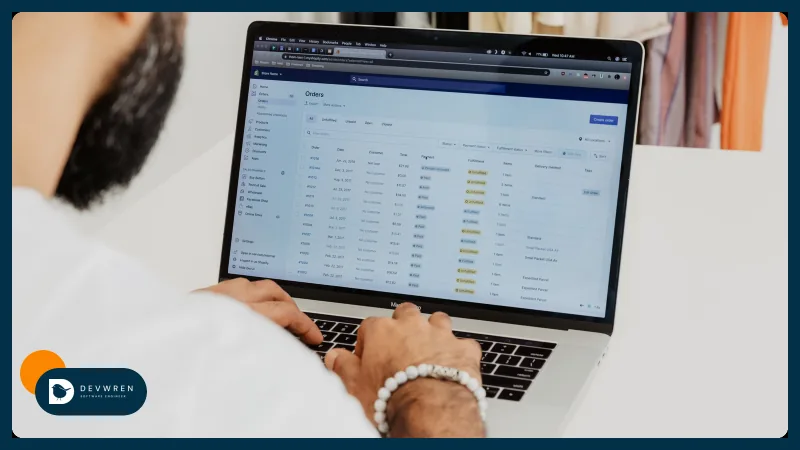
Amazon's own app for Shopify. The free "Amazon MCF and Buy with Prime" app connects a Shopify store to MCF. You map Shopify products to Amazon SKUs, choose which ship speeds to offer, and see Amazon stock levels and MCF order details inside Shopify.
Third-party integrations. For TikTok Shop, Amazon's MCF for TikTok Shop guide names integrations such as WebBee, AfterShip, Rithum and LINGXING that connect TikTok Shop directly to Seller Central. Another route is to link Shopify to MCF and run TikTok Shop through your Shopify integration. Many of these apps charge their own fees on top of Amazon's.
Your own integration. A custom tool talks to Amazon through the Fulfillment Outbound API and to each channel through its own API. It is more work up front, and it is the only option that follows your business rules exactly.
For a single Shopify store whose products all sit in FBA, start with Amazon's app. The rest of this guide is about what happens when the simple setup stops fitting.
The Fulfillment Outbound API (v2026-07-04)
Every MCF integration is built on the Selling Partner API's Fulfillment Outbound API. Version 2026-07-04 is now current, and 2020-07-01 is the legacy version. Amazon's migration guide lists what changed:
- Preview first.
getOrderPreviewshows which speeds are available, and what they cost, before you commit. - Asynchronous creation.
createOrderaccepts the order and processes it in the background, with a newINVALIDstatus, so your code must check the result rather than assume success. - Channel and packaging per order. Requests carry the sales channel (for example
SHOPIFY), and the new version adds item-level control over packaging, carrier preferences and fulfilment policies. - Tracking moves. A separate Shipment Tracking API replaces the old
getPackageTrackingDetailsoperation, with batch requests, a milestone notification and new event codes.
Your tool should also subscribe to the FULFILLMENT_ORDER_STATUS notification instead of polling every order. If you rely on an app, ask the vendor whether it has moved to the new version; Amazon had not published a retirement date for the old one at the time of writing. Building for your own business uses a private seller app, which I explain in automating Amazon Seller Central.
Automate order routing: which orders go to MCF
The hardest part of order fulfilment automation is not sending an order to Amazon. It is deciding which orders should go there.
Shopify gives you a starting point. A fulfilment service app gets its own location in Shopify, and Shopify's order routing assigns orders to locations using rules such as minimising split shipments or choosing the closest location. That works while the decision is simple. These are the rules sellers usually need next:
| Order | Where it goes | Why |
|---|---|---|
| Every item stocked in FBA, above the buffer | MCF | One shipment, no handling on your side |
| Contains a personalised or made-to-order item | Your own warehouse or 3PL | Those items can't sit in FBA |
| A bundle sold as one SKU on Shopify | MCF, as its component SKUs | Amazon only stocks the parts |
| Destination outside MCF's countries | Another carrier or 3PL | MCF operates in a fixed list of countries |
| Flagged for fraud or an unverified address | Held for review | Cancelling after it ships is costly |
Decide also what happens with mixed orders (split them, or send everything from one place), how long you wait before releasing an order so customers can still cancel, and what happens when Amazon rejects an order.
Getting tracking back to the channel
The order isn't finished until the customer and the channel can see where it is.
- Shopify: Amazon's app shows MCF order details on the Shopify orders page. A custom tool listens for Amazon's notifications and creates the fulfilment, with tracking, on the Shopify order, including a second fulfilment if the order ships in two packages.
- TikTok Shop: Amazon's guide says to select "Amazon Shipping + Amazon MCF" as the logistics provider and enter the MCF tracking number, or let an integration pass it across automatically. Channels track shipping performance, so a delay in getting tracking across counts against you even when the parcel left on time.
Add a daily check that lists every order sent to MCF more than a day or two ago with no tracking on the channel. It catches the failures that silent retries miss.
Stock buffers: protect your Amazon listings
One stock pool is MCF's main advantage and its main risk. A busy day on TikTok Shop can empty the FBA stock your Amazon listings depend on, and refilling FBA takes time.
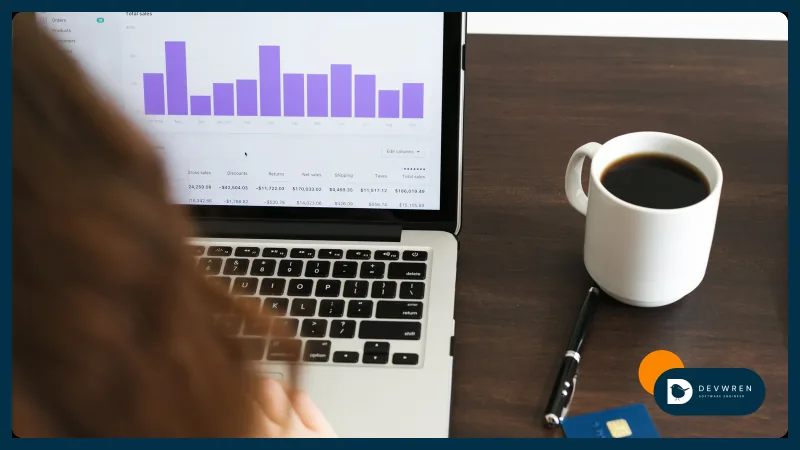
Set a buffer per channel. If 200 units are fulfillable in FBA and you reserve 60 for Amazon, show 140 to Shopify and TikTok Shop, and stop routing to MCF below that reserve, falling back to your own stock or marking the product out of stock. Amazon's FBA_INVENTORY_AVAILABILITY_CHANGES notification can trigger the update. Those numbers are only an illustration; yours should come from how fast each product sells and how long a restock takes, which is what inventory forecasting is for. For keeping counts right everywhere, see how to stop overselling.
Packaging and branding caveats
MCF is built for reliable delivery, not for an unboxing experience. Know these before you switch:
- Unbranded, but plain. Amazon's unbranded packaging explainer (December 2023) says MCF orders from other channels arrive in a blank box, with packing slips, labels and packaging materials free of Amazon branding, at no extra fee. It also lists size and weight limits above which items don't qualify, and in the US, UK and Canada you can restrict MCF orders to items that do.
- Some products ship in their own box. Items certified for Amazon's Ships in Product Packaging programme go out in their original packaging by default, unless you change the setting in Seller Central or per order through the API. If that packaging carries a retail price or another brand, check it.
- Don't count on extras. If thank-you cards, samples or your own mailers matter to your brand, route those orders to a 3PL or your own packing.
- Carriers and returns. Check each channel's rules on which carriers may deliver its orders, and decide how returns from non-Amazon orders come back before your first order ships.
Apps or custom: what it costs
Amazon's Shopify app is free, and Amazon Multi-Channel Fulfillment itself is pay-as-you-go. Third-party integrations add a monthly fee. Custom work makes sense when the apps can't express your rules: bundles mapped to FBA components, several stores or channels, buffers with a fallback warehouse, or one dashboard showing every order's route and status.
My Marketplace & e-commerce apps plans cover this kind of build. MVP starts from $2,500 for one marketplace connected through its official API with one automation. Flexible, the usual fit for MCF routing, starts from $5,500 for two or more channels with stock and orders kept in sync and a dashboard. Advanced starts from $9,500. All three are starting prices, and I give a fixed quote once I've read your brief. My e-commerce automation page shows how fulfilment fits with listings, stock and reports, and the e-commerce automation guide helps you decide what to do first.
FAQ
Can I use Amazon MCF if I don't sell on Amazon?
Yes. Amazon says you can use Multi-Channel Fulfillment for Shopify orders without selling on Amazon. You still need a Seller Central account and stock sent into Amazon's fulfilment network, and you pay Amazon's fulfilment fees for each order. It suits brands that want Amazon's delivery network behind their own store without listing their products on Amazon itself.
Will my customers see Amazon branding on MCF orders?
By default, MCF orders from other channels ship in an unbranded blank box, with packing slips and labels free of Amazon branding. There are exceptions: very large or heavy items may not qualify, products certified to ship in their own packaging go out in that packaging, and the delivery carrier may still be Amazon's. Check your settings and each channel's carrier rules before relying on it.
Does MCF work for TikTok Shop orders?
Yes. Amazon's guide lists integrations that connect TikTok Shop to Seller Central; you need an active TikTok Shop seller account and FBA inventory. Orders flow to MCF, and the integration sends the MCF tracking number back with Amazon set as the logistics provider. You can also connect Shopify to MCF and run TikTok Shop through your Shopify integration instead.
Thinking about shipping your other channels from FBA? Send me a short brief: which channels you sell on, which SKUs sit in FBA, how you fulfil orders today and the routing rules you have in mind. You can start a Flexible plan enquiry, browse e-commerce automation, or read about connecting Shopify and TikTok Shop.